Hands-free sheet music practice
Not endless scrolling. The next measure, right on cue.
SheetCue offers a focused alternative to automatic sheet music scrolling and page-turner pedals. Prepare your own measure order and timing, put the phone down, and let each readable cue advance when you expect it.
READY
NOW
NEXT
LATER
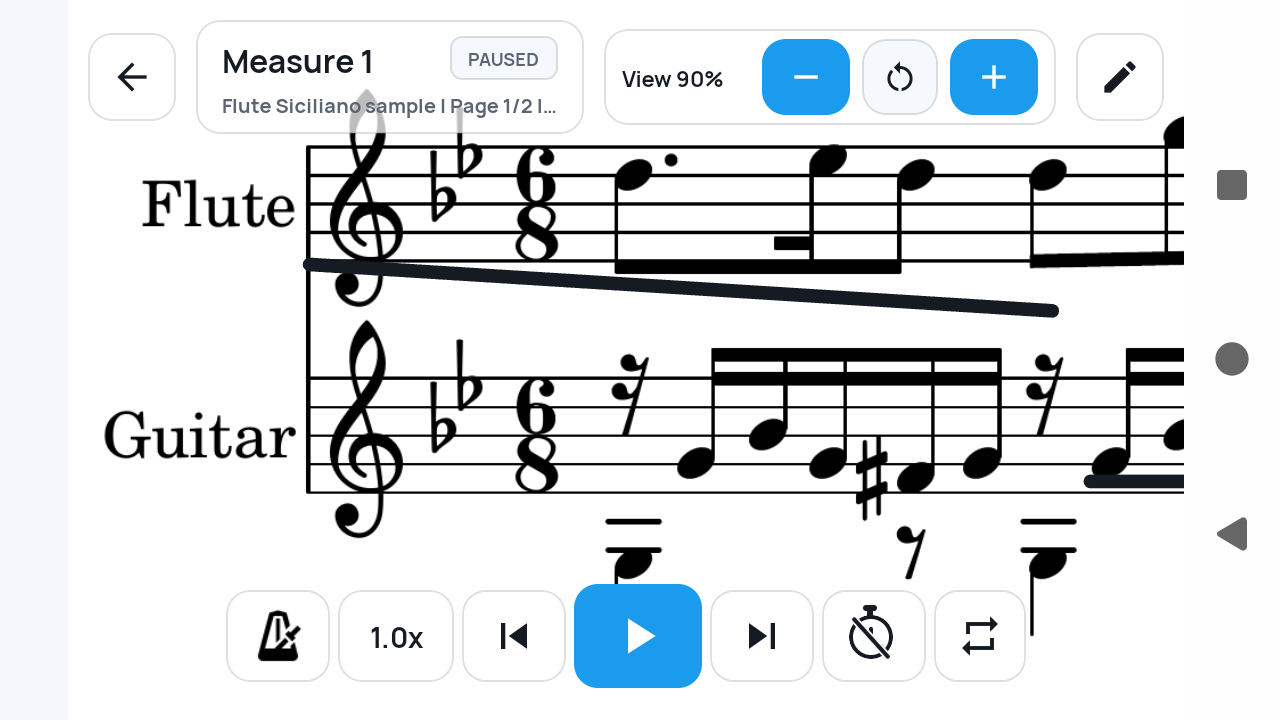
Can sheet music advance automatically without a page-turner pedal?
Yes—when a timed route suits the music. SheetCue advances through the measure order using the BPM, beats, and per-measure adjustments you set. It does not continuously scroll a full page or listen to your playing.
Four ways to move through music
Hands-free can mean very different things.
SheetCue is the timed, measure-by-measure option. Knowing the distinction helps you choose the right practice setup.
01
Continuous page scroll
Moves an entire page at a steady visual speed.
02
Bluetooth page turner
Waits for a physical press from your foot.
03
Audio score following
Listens to a performance and tries to locate the current note.
04
Timed measure advance
Moves through the measure order and timing you prepared.
Set the route before you play
Three decisions turn a static score into timed cues.
You stay in control of the musical structure. SheetCue simply follows the route and timing you save.
01
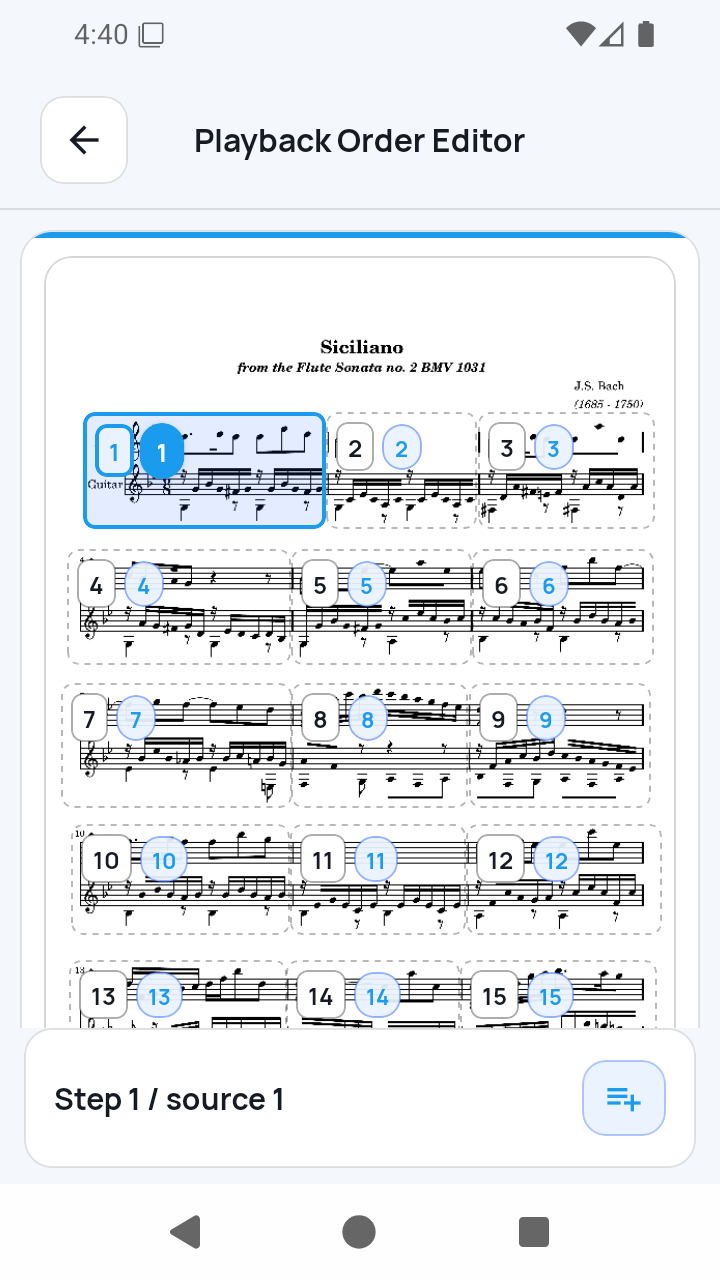
Arrange the measure order
Build the route you actually want to rehearse, including explicit repeats or jumps. Repeat signs and musical form are not interpreted automatically.
02
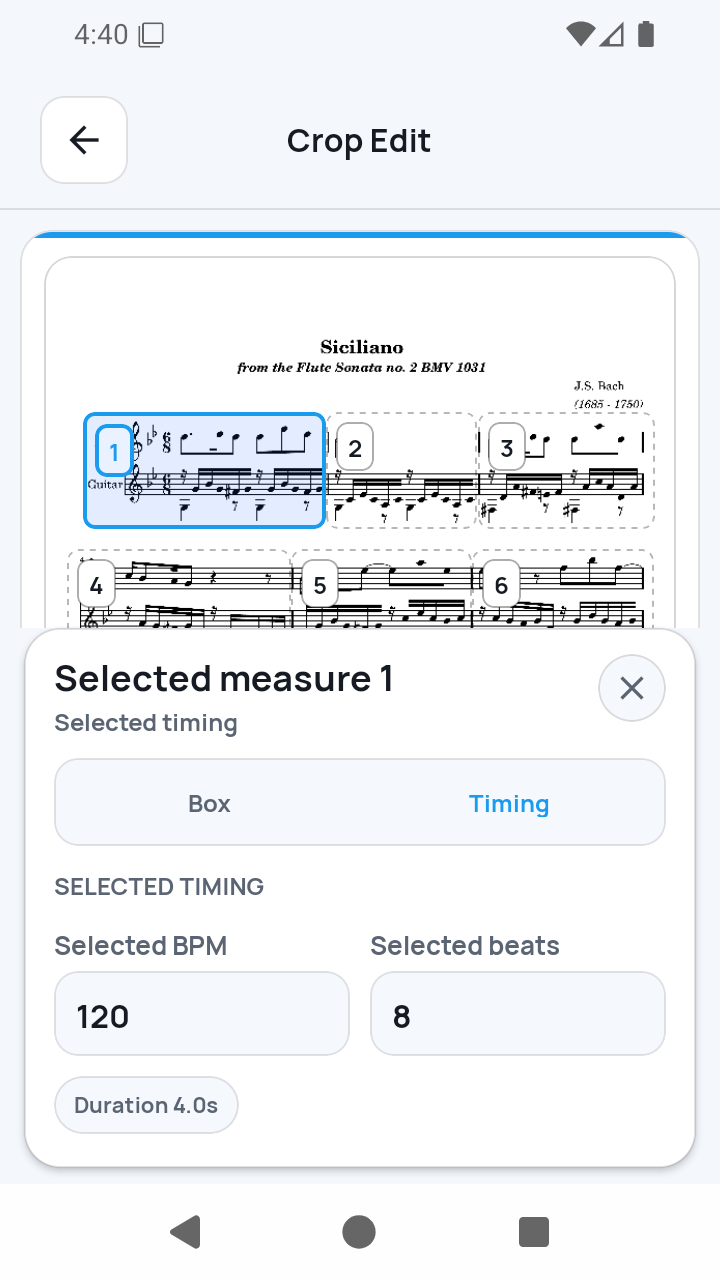
Set BPM, beats, and exceptions
Choose baseline timing, then give an individual measure more or less time when a fermata, rest, or tempo change calls for it.
03
Follow one readable cue at a time
In Measure view, the active cue advances according to the saved timing. You can focus on playing instead of reaching for the screen at every bar.
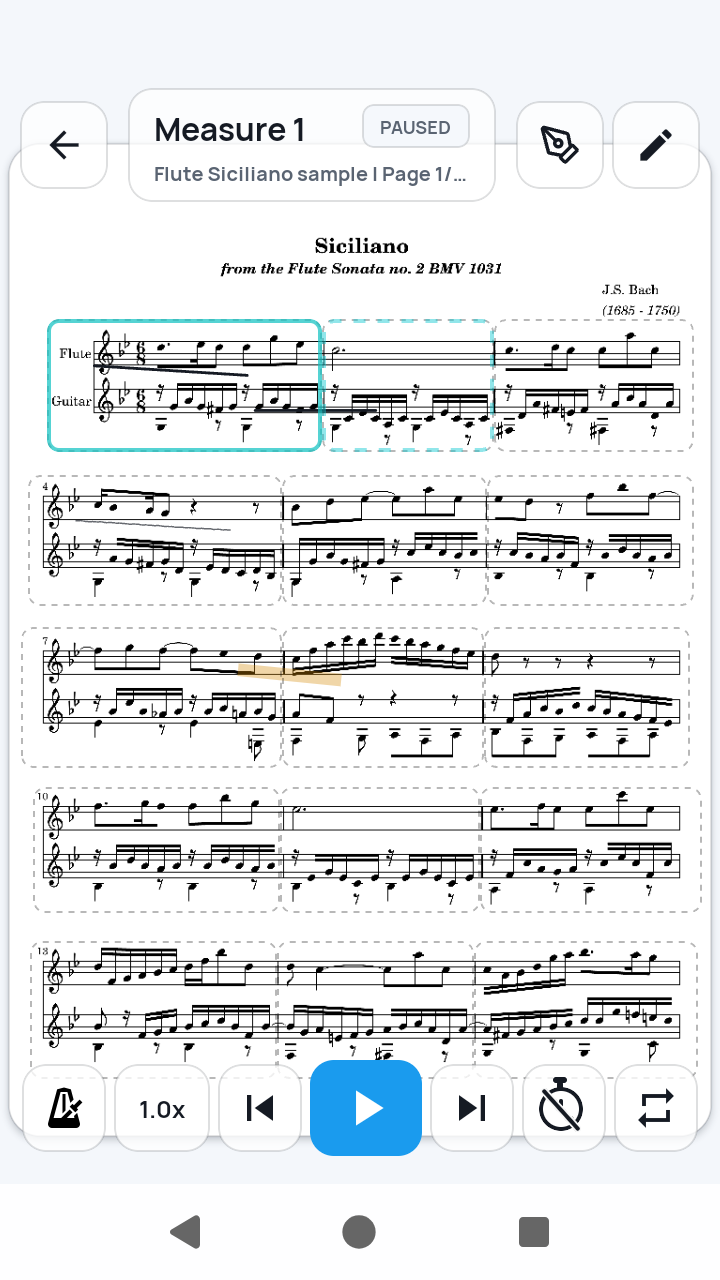
A full page is still there for orientation.
Use Full Score view when you need the larger musical map. SheetCue does not animate that page in a continuous vertical scroll.
Measure view is where timed advance becomes useful.
The current measure stays large enough to read on a phone, while the prepared sequence determines what appears next.
Accurate expectations
Automatic timing, not automatic understanding.
SheetCue follows instructions you prepare. It does not claim to understand the score or your live performance.
- No continuous full-page scrolling
- No microphone-based or audio-following position detection
- No automatic recognition of repeats, D.S., D.C., Coda, or notation
- No pedal is required for the timed-measure workflow
- Manual controls remain available when you need to pause or adjust practice
Automatic sheet music questions
01Does SheetCue automatically scroll sheet music?
Not as a continuously moving page. It advances from one prepared measure cue to the next using the timing you set.
02Can I turn sheet music without touching the screen?
During a prepared timed run, SheetCue can advance through the saved measure route without a tap at every measure. You set up the route and timing first.
03Do I need a Bluetooth page-turner pedal?
No. A pedal is not required for SheetCue's timed measure advance. This is a different workflow from manually triggering page turns with a pedal.
04Does SheetCue listen and follow my playing?
No. It does not use the microphone to recognize notes or locate your current position. Advancement follows saved timing, not live audio.
05Can the timing change for one measure?
Yes. You can adjust an individual measure when it needs a different duration from the baseline BPM and beats.
06Does it understand repeat signs automatically?
No. You explicitly prepare the playback order, including repeats and jumps you want to practice.
Prefer a phone-sized view?
See why measure-first practice works on a small screen.
Compare a complete score page with the focused measure view used during practice.
Set the cues. Put the phone down. Play.
Turn your own PDF or score photos into a measure route that advances on your timing.