

PDF score practice
How to practice a PDF score measure by measure
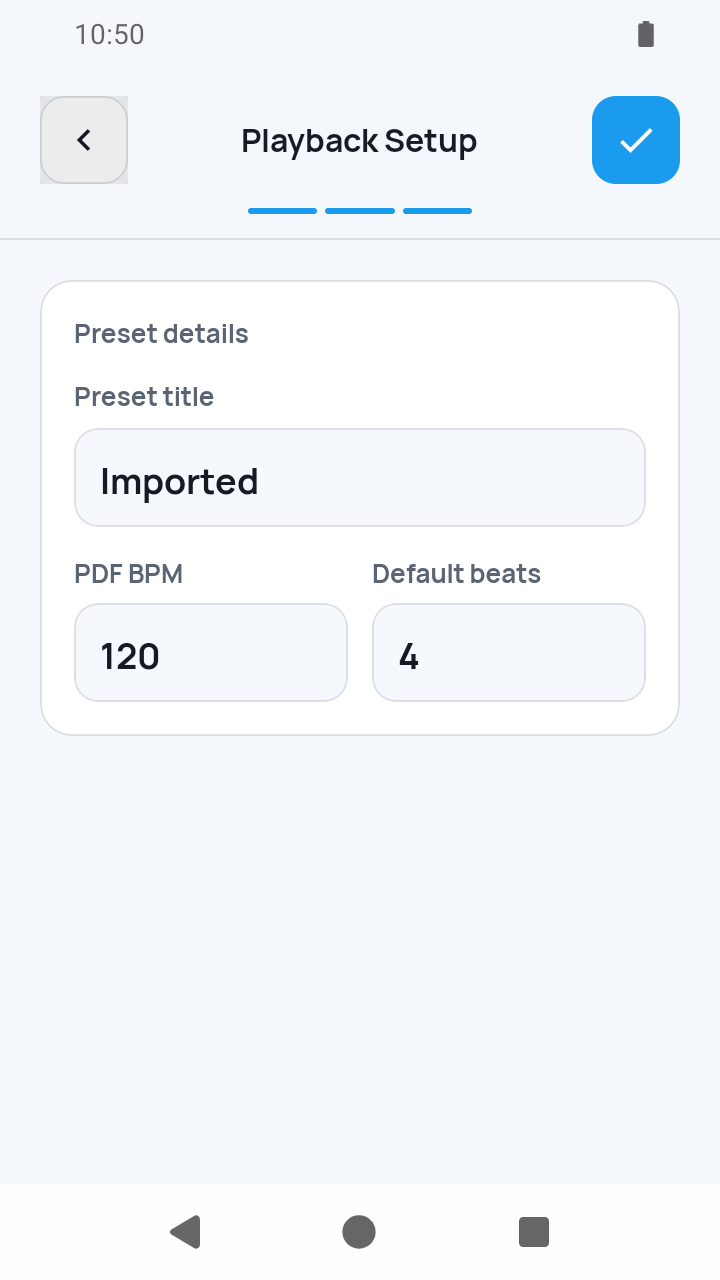
After the access notice and system file picker, a fresh PDF import opens three required setup screens. Complete all three before choosing Measure view or Full page.
Read guideMeasure-first score viewer
Import a score photo (JPG/PNG) or PDF only if you have the right to use it. Review and correct the measure boxes, then set timing, repeats, and playback order.
Set the order and timing once, then SheetCue automatically advances through each measure while you practice—without tapping for every bar.
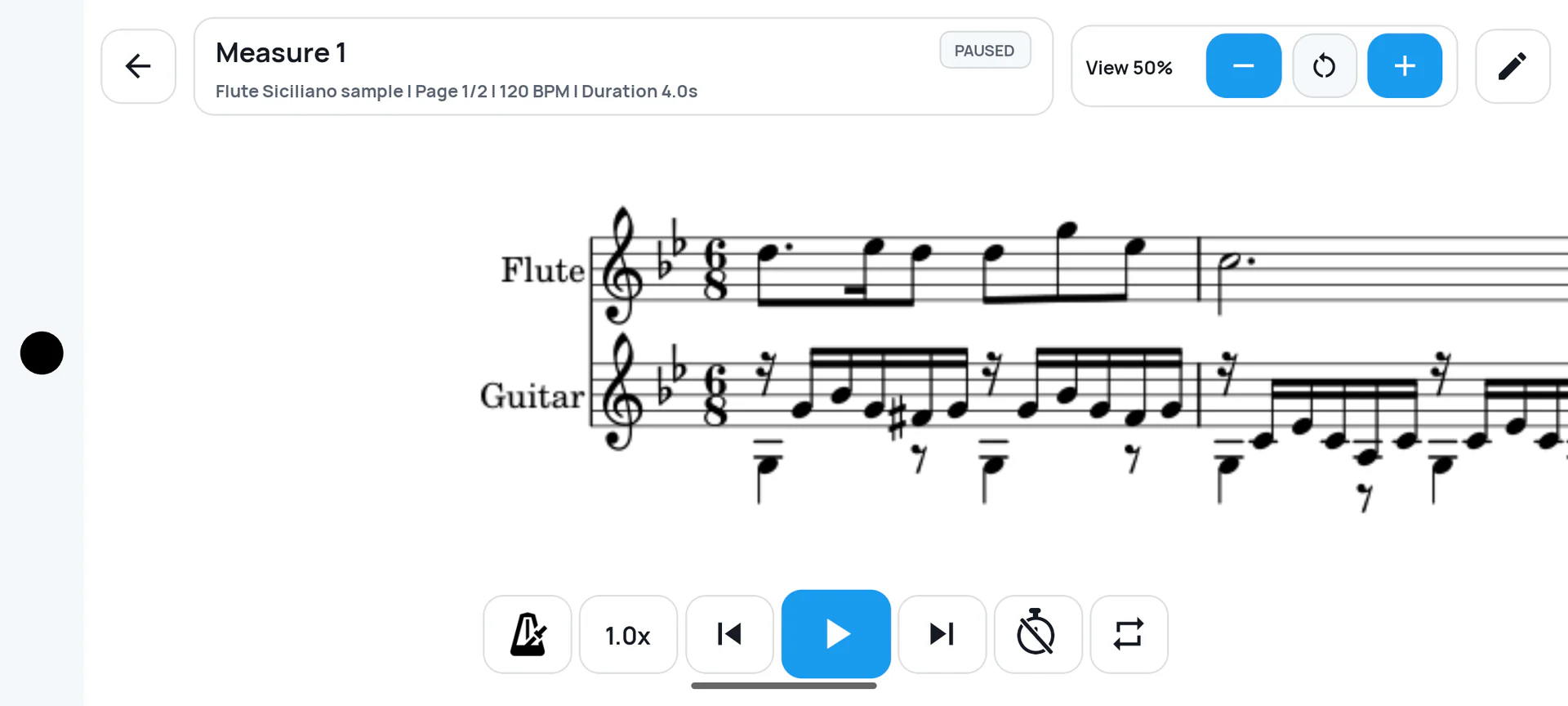
Just your phone
Practice measure by measure without bringing a tablet or a second screen.
PDFs or photos
Bring in the score files and images you already use.
Timed measure flow
Move forward by the order and timing you set, without tapping for every measure.
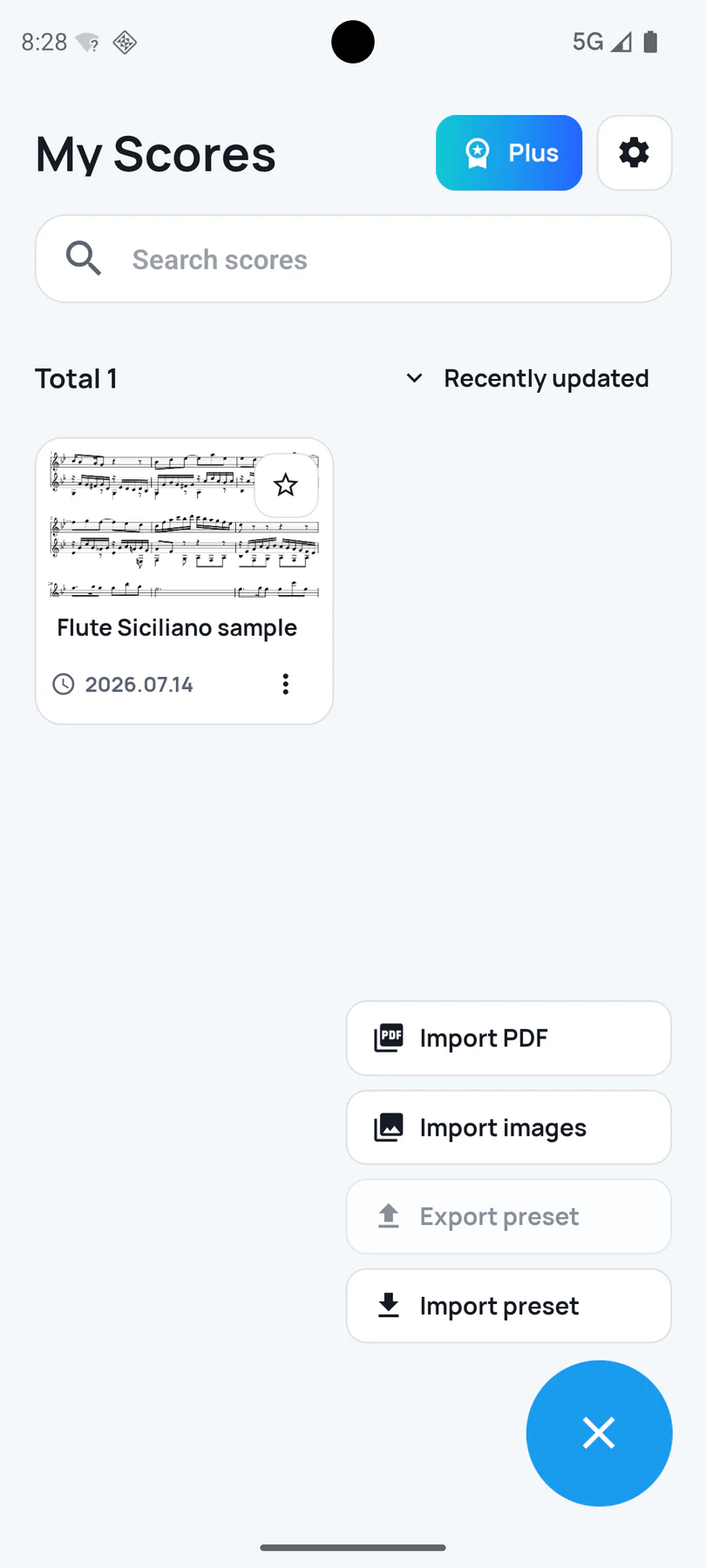
Start from the score you already have. SheetCue keeps PDF, image, and preset actions together in one score library.
Choose either format from the same clear import menu.
Return to a simple library instead of rebuilding your setup.
Import saved practice presets when you want to reuse a setup.
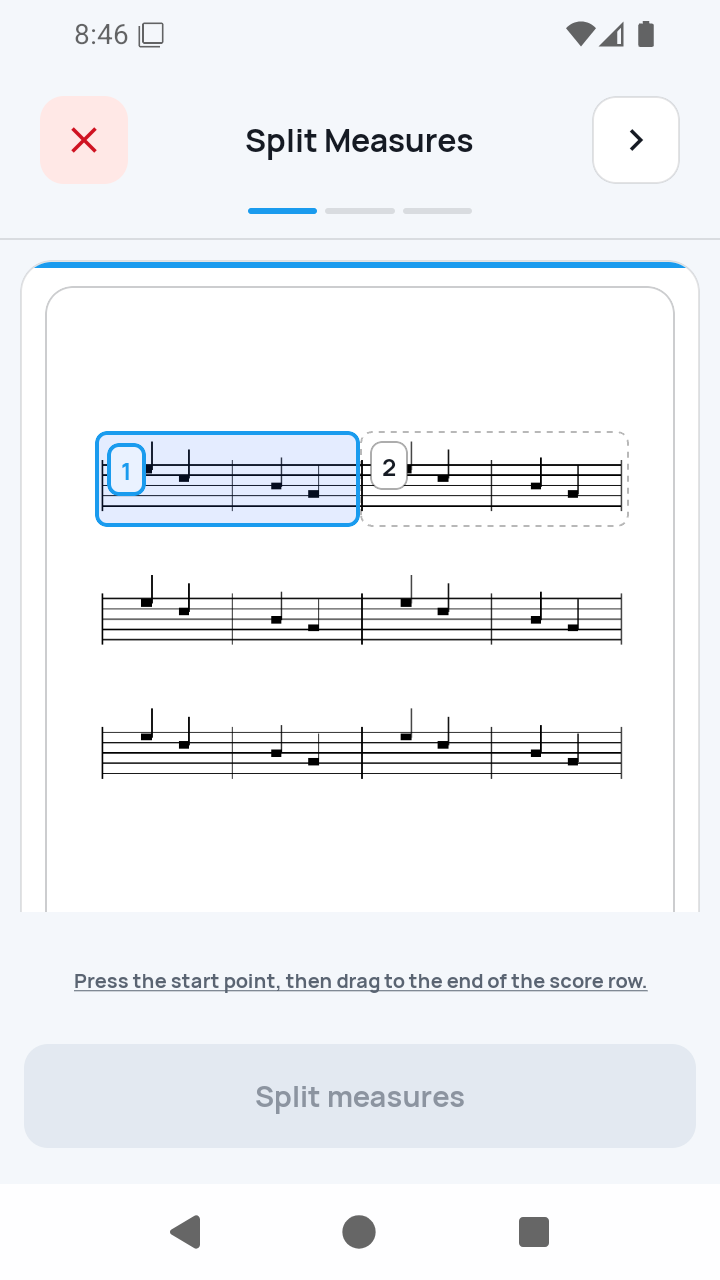
Define the musical area, add the boundaries that matter, and check the resulting measures before practice starts.
Frame the staff line you want to turn into practice cues.
Place measure divisions where the printed score needs them.
See the finished measure boxes and correct them directly.
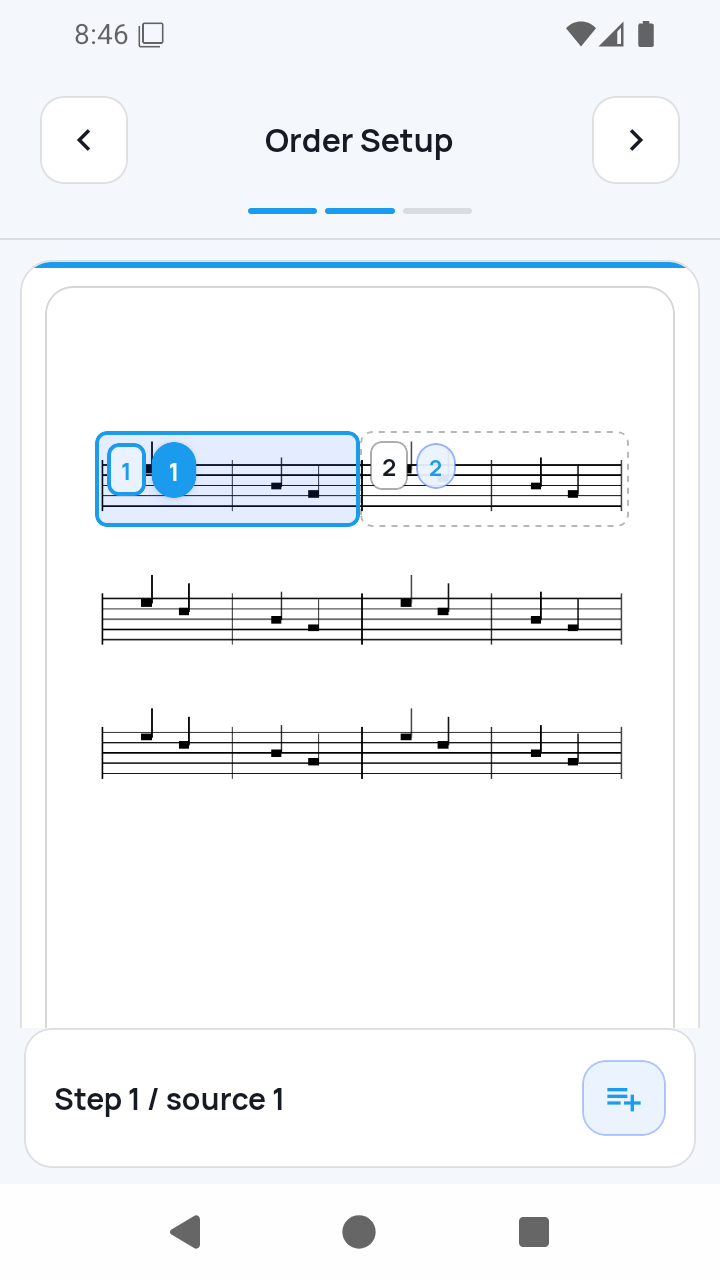
Step 2 builds the rehearsal sequence. Step 3 asks for the Preset title, PDF BPM, and Default beats before the final completion check.
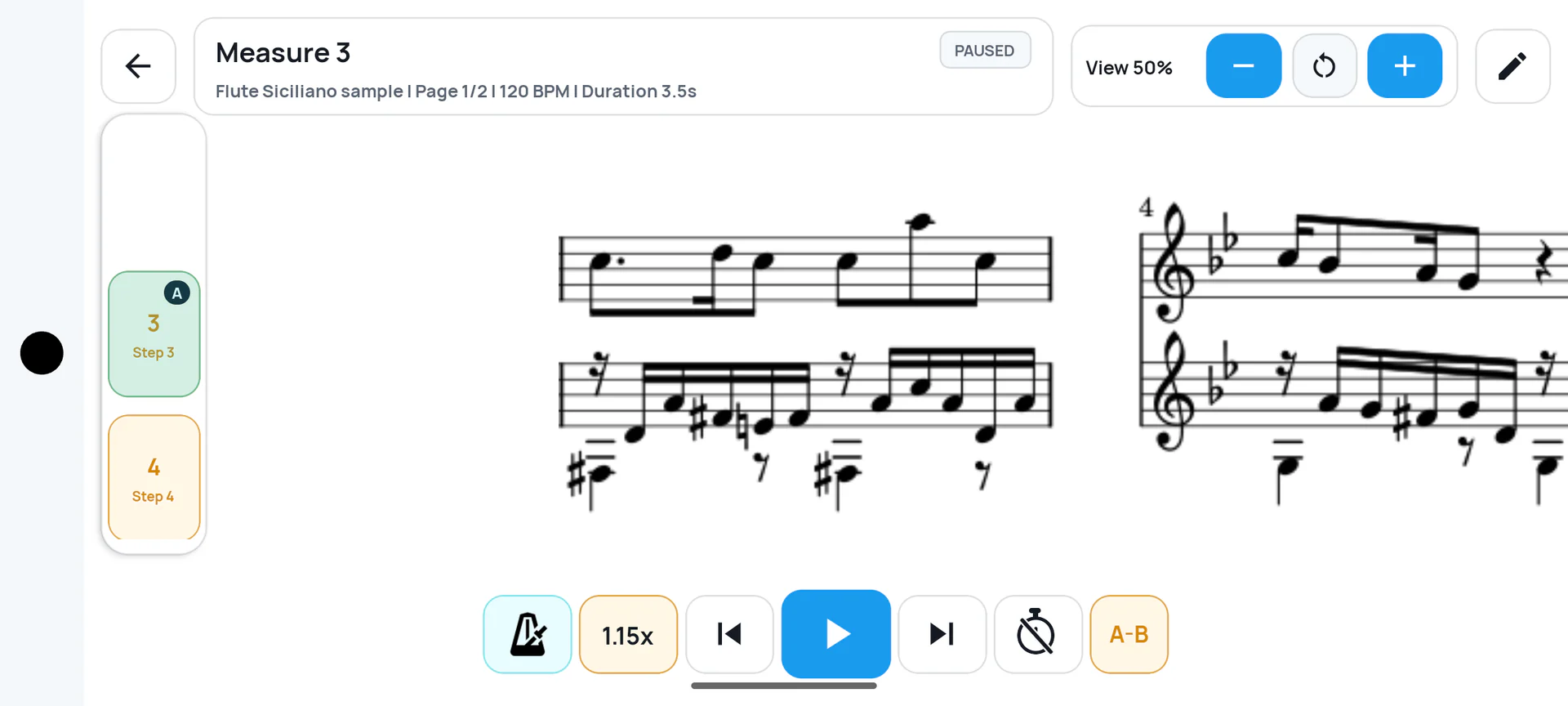
Continue from page 2 back to page 1 when the music calls for it.
Add repeated measures to the sequence you will actually play.
Enter title and timing, then tap the check to finish the import.
SheetCue guides
Follow the SheetCue workflow through import, measure correction, timing, playback order, annotations, practice speed, local storage, and preset transfer. Feature content is checked through 1.6.2; the annotation and speed guides use verified 1.6.2 screens, while established flows retain verified 1.2.5 screens.
PDF score practice
After the access notice and system file picker, a fresh PDF import opens three required setup screens. Complete all three before choosing Measure view or Full page.
Read guideMeasure box editing
Measure Edit is the hub for two different jobs: Crop Edit changes existing boxes, while Split Measures redraws a whole staff row.
Read guideImport troubleshooting
Troubleshoot the actual four checkpoints: access and rendering, 1/3 Split Measures, 2/3 Order Setup, and 3/3 Playback Setup.
Read guideBeginner phone practice
If your teacher gave you a lawful photo or you photographed music you may digitize, start with one page. SheetCue turns ordered images into a local PDF, then you choose the measure boxes, timing, repeats, and practice order yourself.
Read guideAfter file selection, complete all three setup screens in order: Split Measures, Order Setup, and Playback Setup. The final check makes the score ready for timed practice.
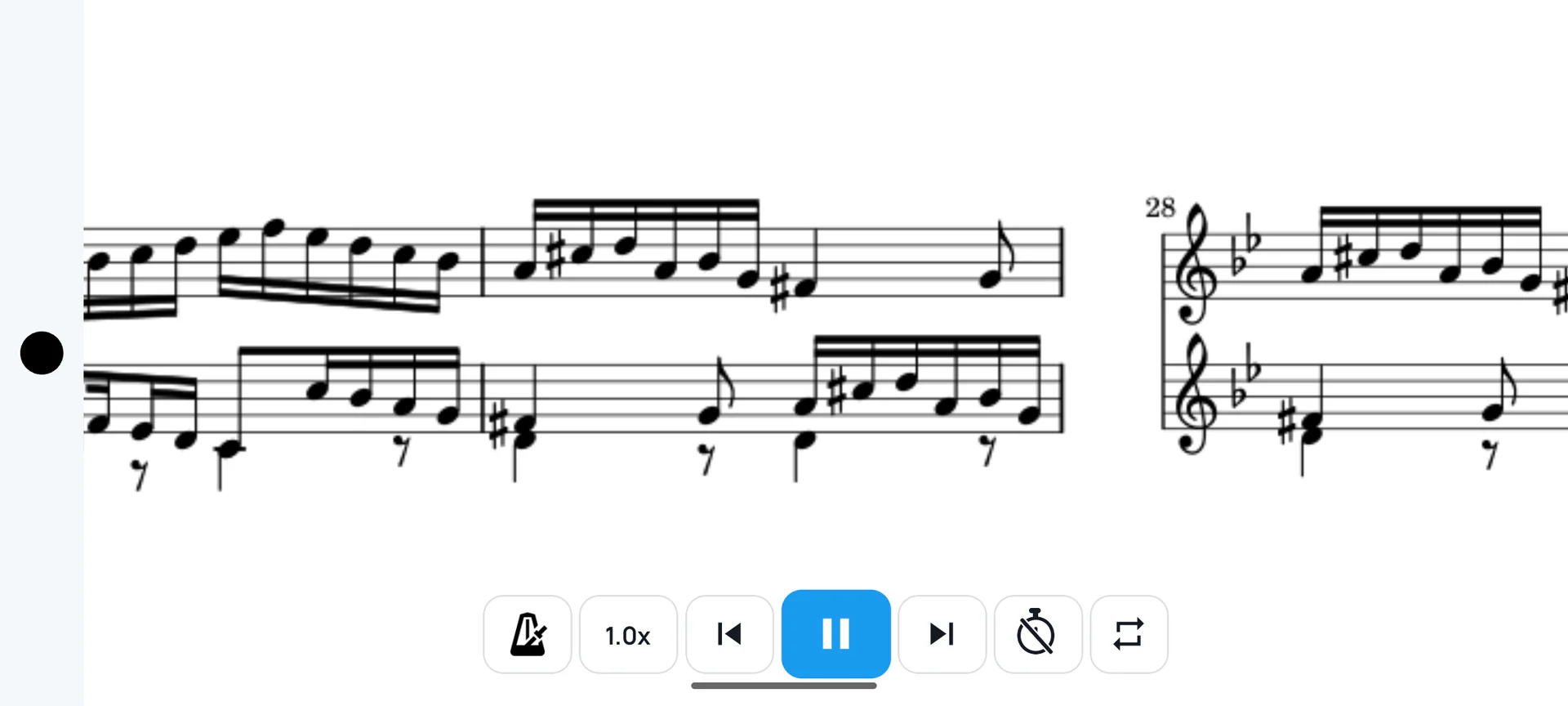
A–B loop for the passage that needs work · metronome · current-measure duration display · speed
Choose a PDF score or ordered photos.
Draw staff rows and place measure boundaries.
Set the route, page returns, and repeats.
Enter title, BPM, and beats, then tap the check.
Follow each timed cue with your tools close.
Imported score photos and PDFs, rendered pages, cropped measure images, and preset metadata are stored locally on your device. SheetCue does not create accounts or upload score files. Separately, Google Mobile Ads and Google UMP may process advertising, consent, and device data; see the privacy policy for details.
Get SheetCue free on Google Play or the App Store. Score photos and PDFs are processed on your device.