Phone-first sheet music practice
Your phone can be a readable sheet music stand.
SheetCue is a sheet music app for phone practice that lets you prepare your own PDF or score photos measure by measure. A full score page is usually too small on a phone. SheetCue takes another route: bring your own PDF or score photos, prepare readable measure areas, then practice through the order and timing you set—without carrying a tablet.
For iPhone, iPad, and Android · PDF, JPG, and PNG scores
Can I practice sheet music on my phone without a tablet?
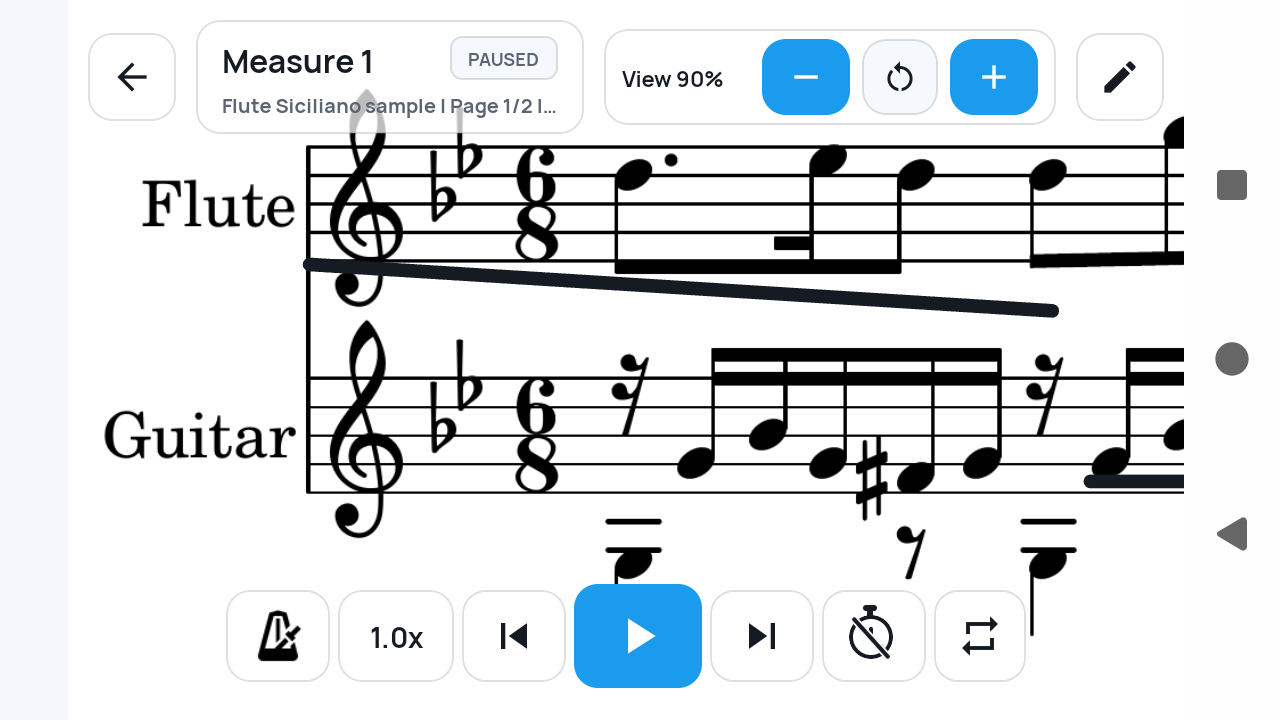
Yes. SheetCue shows the current measure at a readable size instead of forcing a whole page onto the phone. You define the measure areas, playback order, BPM, and beats; during practice, SheetCue advances using that saved timing.
One score, two scales
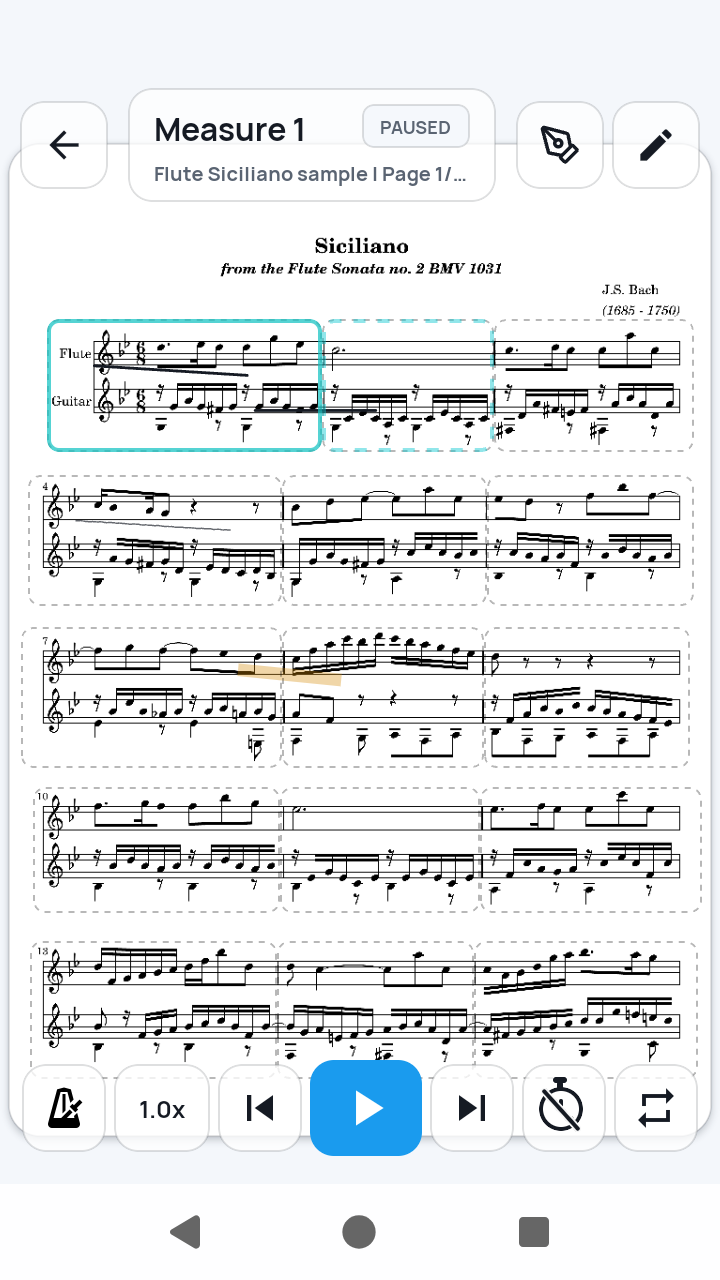
A page fits the file. A measure fits the phone.
Pinching and panning can make a PDF larger, but it also makes your place harder to follow. A prepared measure view keeps the notation large and the next cue predictable.
01
Use the score you already have
Import one PDF, or order 1–20 JPG or PNG score images. Image import creates a local PDF before the same setup flow begins.
02
Choose what stays readable
Draw and correct measure areas yourself. SheetCue preserves the score image; it does not convert notation with OCR.
03
Put the phone down and play
Practice advances through your saved route using BPM and beats. You do not have to tap at every measure or bring a Bluetooth page-turner pedal for this workflow.
From page to practice cue
Prepare once. Rehearse measure by measure.
SheetCue makes the phone useful by changing the unit of display, not by pretending the screen is tablet-sized.
01
Frame the music
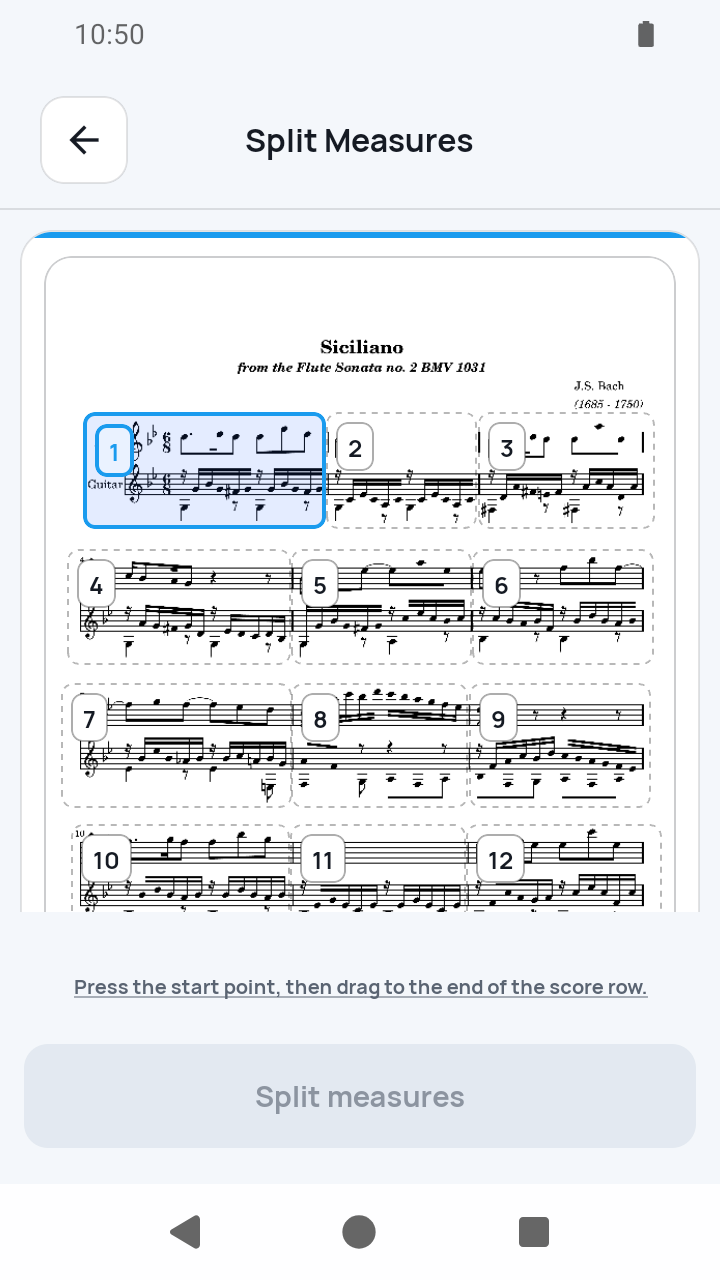
After importing, draw staff rows and split them into numbered measures. Adjust the boxes when a scan or photo needs correction.
02
Set the route
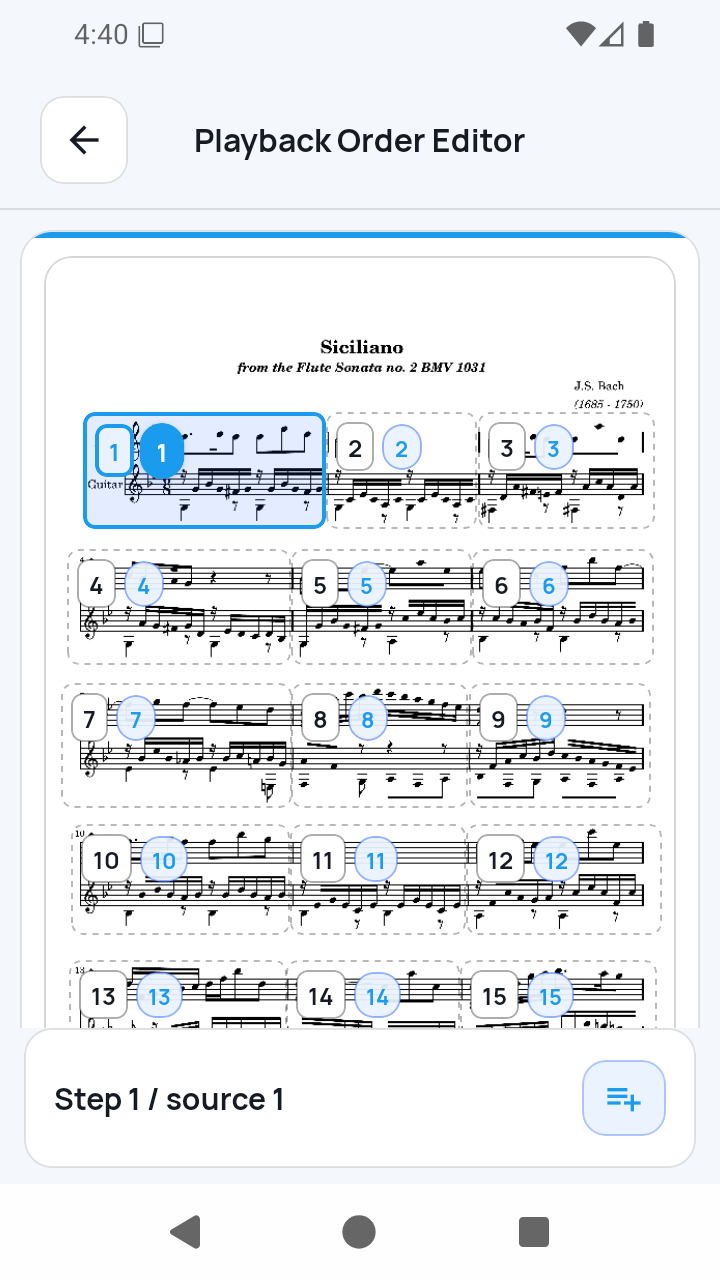
Review the numbered playback order. Add returns or repeated passages explicitly instead of relying on automatic interpretation of repeat signs.
03
Follow the cue
Choose Measure view and rotate the phone when useful. The current cue advances according to the timing saved for each playback step.
Made for the practice moments between music stands
- You have a phone with you, but not a tablet or second display.
- A full PDF page is too small and constant zooming breaks concentration.
- You want to repeat a difficult passage in a deliberate order.
- You prefer score files and practice data to stay local on the device.
Clear by design
Timed cues—not magic score following.
SheetCue is a focused practice viewer, not a notation editor or performance-listening system.
- It does not listen to your instrument or locate your position from audio.
- It does not OCR notes or convert a score to MusicXML.
- Repeat signs, D.S., D.C., Coda, and musical structure are not inferred automatically.
- Imported score files and setup data stay local-first; there is no SheetCue account or automatic cloud sync.
Phone sheet music questions
Can I read PDF sheet music on my phone?
Yes. SheetCue imports a PDF and lets you prepare measure areas for a phone-sized practice view. A full-page view is also available for orientation.
Do I need an iPad or Android tablet?
No. SheetCue runs on iPhone, iPad, and Android, and its measure-first view is specifically useful when you only have a phone.
Does SheetCue turn pages automatically?
It advances through the measure order using the BPM and beats you set. It does not listen to your performance or detect your place automatically.
Do I need a Bluetooth page-turner pedal?
No. A pedal is not required for SheetCue's timed measure workflow. You prepare the route and timing before practice.
Can I use photos of printed sheet music?
Yes. Select 1–20 JPG or PNG images, review their order, and SheetCue creates a PDF locally before measure setup.
Are my scores uploaded?
No. Imported PDFs, score photos, rendered pages, measure crops, and preset data are handled locally on your device. SheetCue has no score cloud or account sync.
SheetCue
Turn the score you already use into a phone-sized practice flow.
Want the exact setup screens? Follow the PDF measure-practice guide