Sheet music practice app
Turn difficult measures into a practice loop you can actually follow.
SheetCue turns your own PDF or photographed score into a measure-by-measure rehearsal flow. Choose the order, repeat the passage that needs work, and let your saved timing move the practice forward.
Your rehearsal loop
- 1Read one measure
- 2Follow your order
- 3Loop the hard part
- 4Adjust the timing
The short answer
Can an app make sheet music practice more focused?
Yes. SheetCue keeps the current measure readable, follows the playback order you define, and lets you loop a selected range. It advances by timing you set—not by listening to your performance—so the practice flow stays predictable.
Choose the workflow
Which kind of PDF sheet music app do you need?
These app types solve different practice problems. Compare how each one reads a score and decides what comes next.
General PDF viewer and annotation
- Input
- Phone readability
- Full page; zoom and panning may be needed
- How it advances
- Manual scroll, swipe, or page turn
- OMR / OCR
- No music recognition
- Performance tracking
- No
- Storage
- On-device or cloud, depending on the app
Continuous auto-scroll
- Input
- PDF or images, depending on the app
- Phone readability
- Depends on zoom level and scroll speed
- How it advances
- Moves continuously at a set speed
- OMR / OCR
- Usually no music recognition
- Performance tracking
- No
- Storage
- Varies by app
OMR score recognition and playback
- Input
- Scan, photo, or PDF, depending on the service
- Phone readability
- Often shows reconstructed notation rather than the original page
- How it advances
- Follows generated notation or playback
- OMR / OCR
- Yes; recognition accuracy varies
- Performance tracking
- Not necessarily
- Storage
- May require upload or service processing
Live performance following
- Input
- Supported scores or libraries; product support varies
- Phone readability
- Score view and supported layouts vary
- How it advances
- Estimates position from the sound of the performance
- OMR / OCR
- Varies; not always the core feature
- Performance tracking
- Yes, using microphone or audio input
- Storage
- Varies; may use an account or remote processing
SheetCue: user-verified measures and saved timing
- Input
- PDF or 1–20 JPG/PNG images
- Phone readability
- Shows the verified current measure at a useful size
- How it advances
- Uses your measure order plus saved BPM, beats, and per-measure time
- OMR / OCR
- No
- Performance tracking
- No microphone listening or live following
- Storage
- On-device; no account-based cloud sync
SheetCue does not recognize or play notes, infer repeat symbols, listen to your performance, or follow it automatically. You verify the measure regions and order; SheetCue then advances that visual sequence using the timing you saved.
A rehearsal, not a slideshow
Build the route before you start playing.
Prepare the score once, then keep your attention on the instrument. Each part of the workflow solves a different interruption in everyday practice.
Read measure by measure
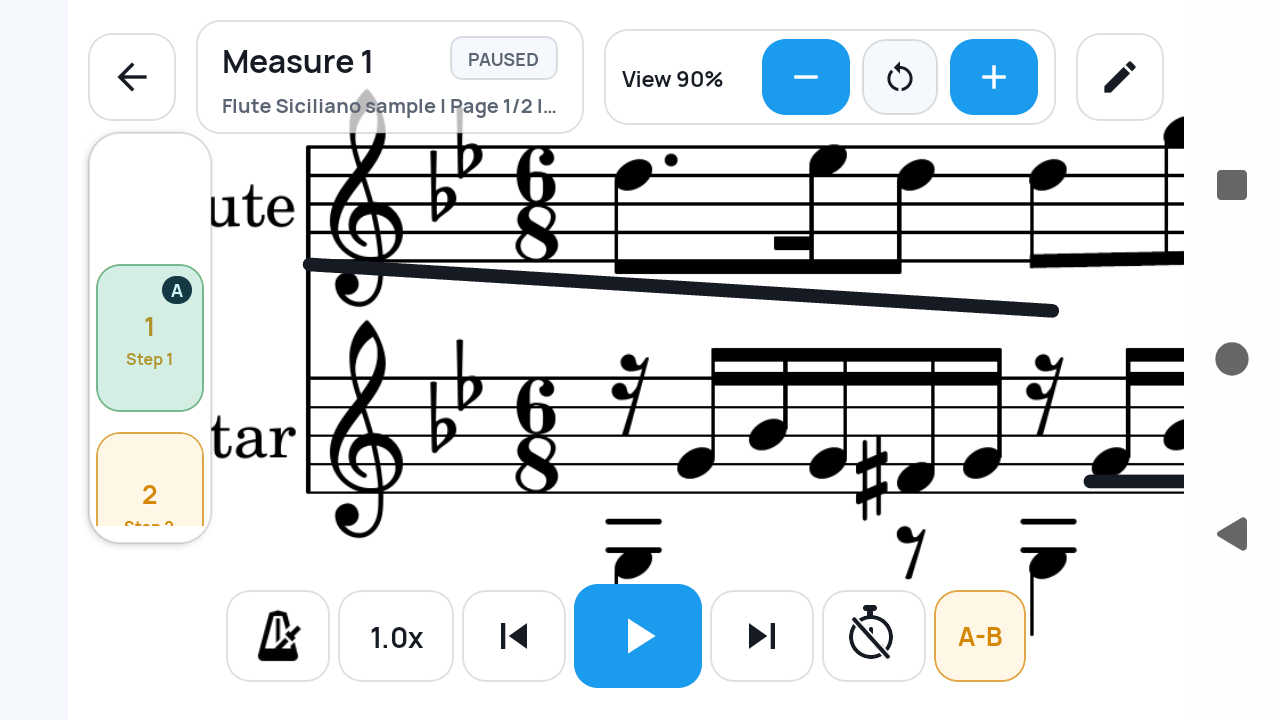
Instead of shrinking an entire page, SheetCue presents the current measure at a useful size and shows where the practice flow moves next.
The landscape practice view keeps the active measure in focus.
Choose the playback order
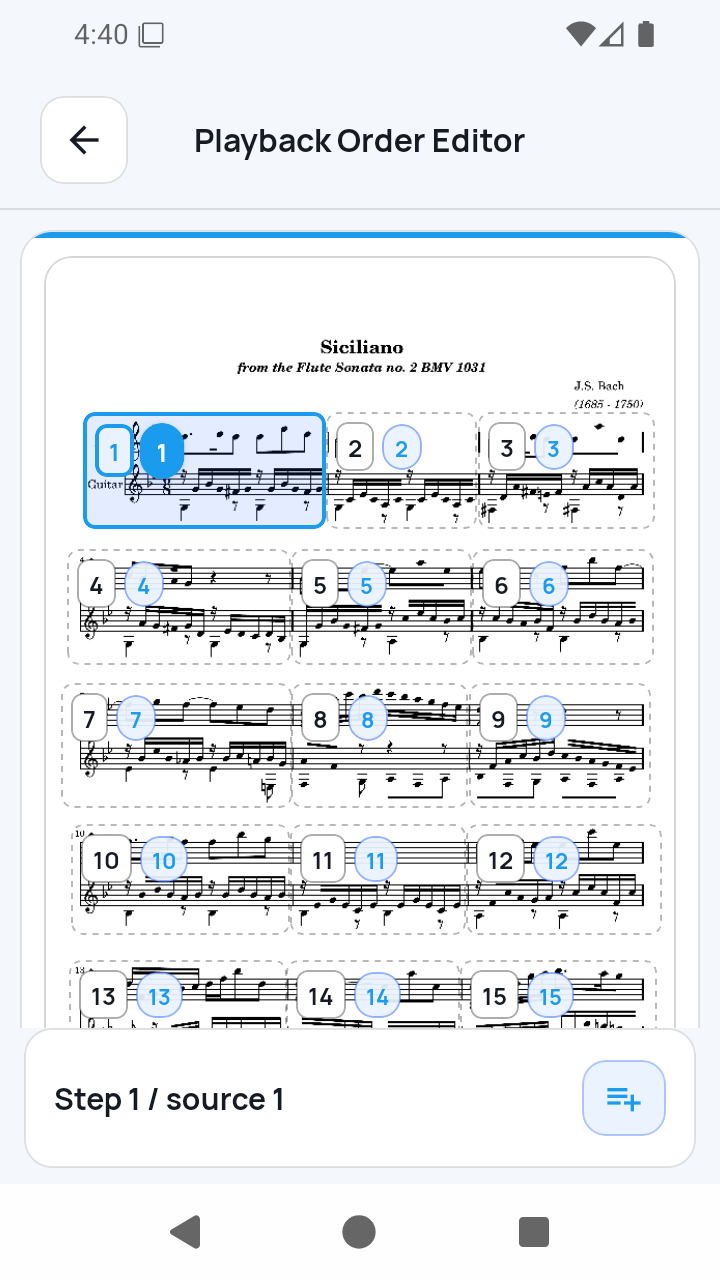
Write the route you intend to rehearse: repeat a phrase, skip ahead, or return to an earlier measure. The order does not have to match the printed page.
A user-defined sequence makes repeats and jumps explicit.
Loop the difficult passage
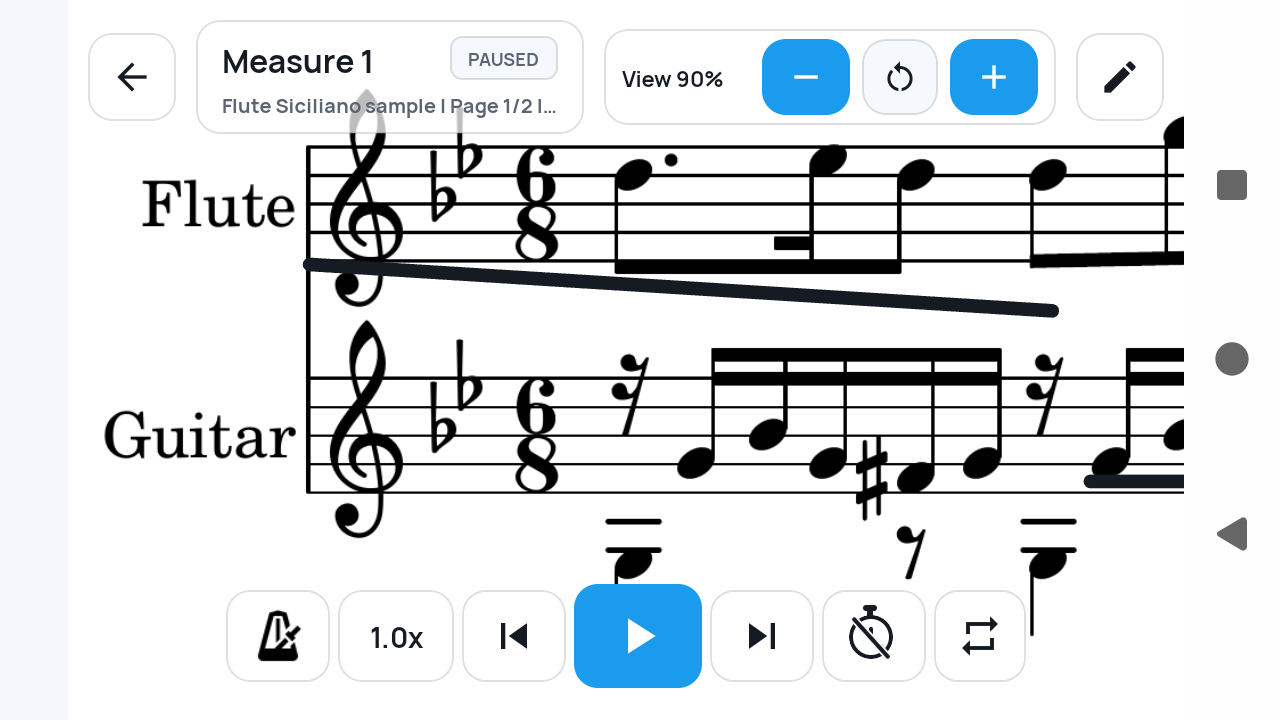
Set A and B while practicing to repeat a focused range. Use it for a troublesome entrance, transition, fingering pattern, or short phrase.
The active A–B range is visible during practice.
Shape the pace
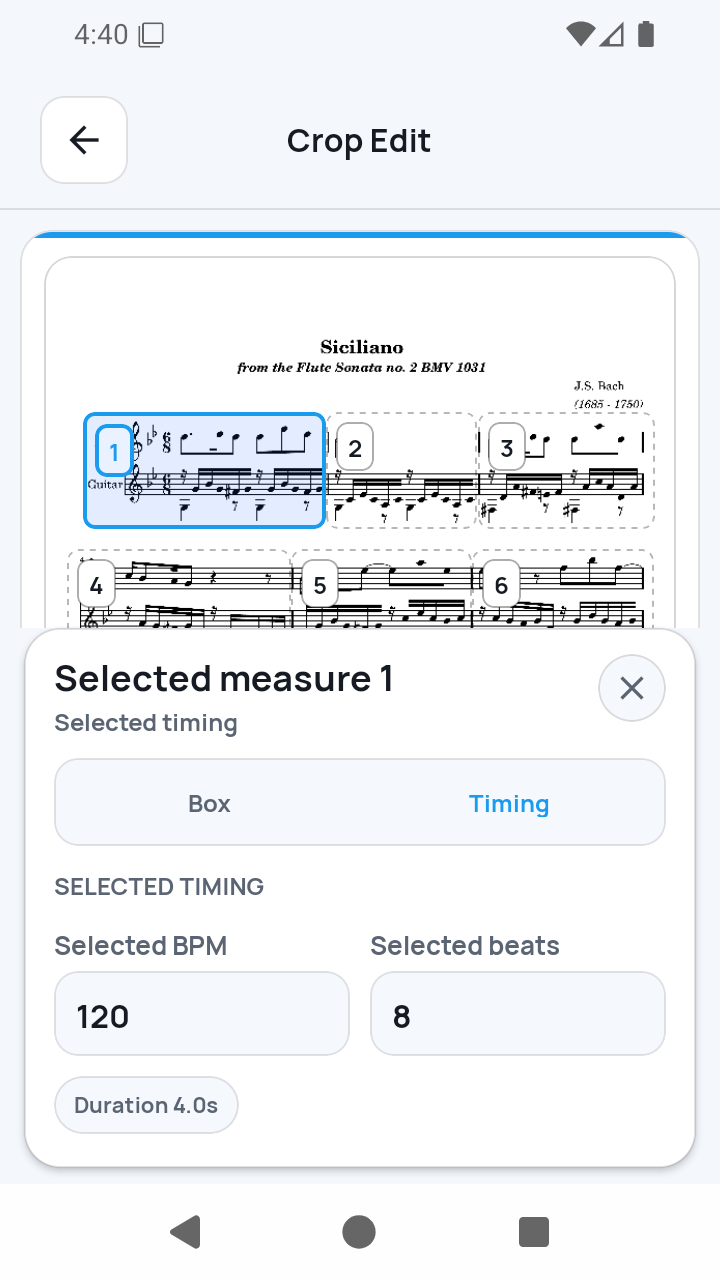
Set baseline BPM and beats for the score, then give a selected measure more or less time when a pause, fermata, or tempo change needs it.
Selected-measure timing can differ from the score-wide baseline.
Timing you control
One tempo for the score. More time where the music needs it.
Start with a baseline BPM and beats per measure. If one measure needs a longer breath or a faster transition, adjust only that measure without rebuilding the rest of the practice order.
Score baseline
♩ = 90
Selected measure
♩ = 72
SheetCue uses these saved values to advance. It does not analyze live audio.
Made for the work between the first read and the confident run-through
- Repeat two or three difficult measures without finding them again
- Rehearse a custom order before playing the full score
- Keep a phone-sized view readable while your hands stay on the instrument
- Slow a selected measure without changing the rest of the score
Know exactly what drives the practice
SheetCue is a manual, timing-based practice tool. It keeps you in control, and it does not claim to interpret the music for you.
- No live audio following or performance recognition
- No automatic interpretation of repeat signs, D.C., D.S., or Coda
- No OCR or conversion to editable notes or MusicXML
- No account-based cloud sync; prepared score data stays local to the device
Sheet music practice app questions
Can I repeat difficult measures in SheetCue?
Yes. Create a playback order for a reusable route, or set an A–B loop during the current practice session to repeat a focused range.
Does SheetCue listen to my playing and follow the score?
No. SheetCue advances using the BPM, beats, and per-measure timing you set. It does not use the microphone to identify your position.
Can I practice from my own PDF sheet music?
Yes. Import a PDF or score photos, define the measure areas, then prepare the order and timing you want to practice.
Does SheetCue understand repeat symbols automatically?
No. You explicitly create the playback order, which keeps the route predictable even when the printed score contains repeats or jumps.
Can I slow down only one measure?
Yes. Set a baseline for the score and override BPM or beats for a selected measure when it needs different timing.
Make the next run-through about the music, not the screen.
Bring your score into SheetCue, prepare the measures that need attention, and start a focused rehearsal on iPhone, iPad, or Android.