On-screen measure speed
BPM and playback speed do different jobs in SheetCue's on-screen measure flow
Here, playback speed means how quickly SheetCue advances from one prepared measure to the next on screen. It is not audio speed or time-stretch. Saved BPM and beats define the baseline duration.
The short answer
SheetCue calculates seconds per measure as (effective beats × 60 ÷ effective BPM) ÷ speed. With effective timing of 120 BPM and four beats, a measure lasts 2.0 seconds at 1.0x and 2.5 seconds at 0.8x. Dividing by 0.8 keeps it on screen longer without changing the saved timing. A measure-level BPM or beats override replaces the corresponding preset default.
Seconds per measure calculatorYou need a prepared score with valid Default tempo (BPM) and Beats per measure. Use the timing guide if those saved values still need to be set or corrected. Set BPM and beats for measure timing
 Open full-size image
How it works
Confirm the effective 120 BPM and four beats
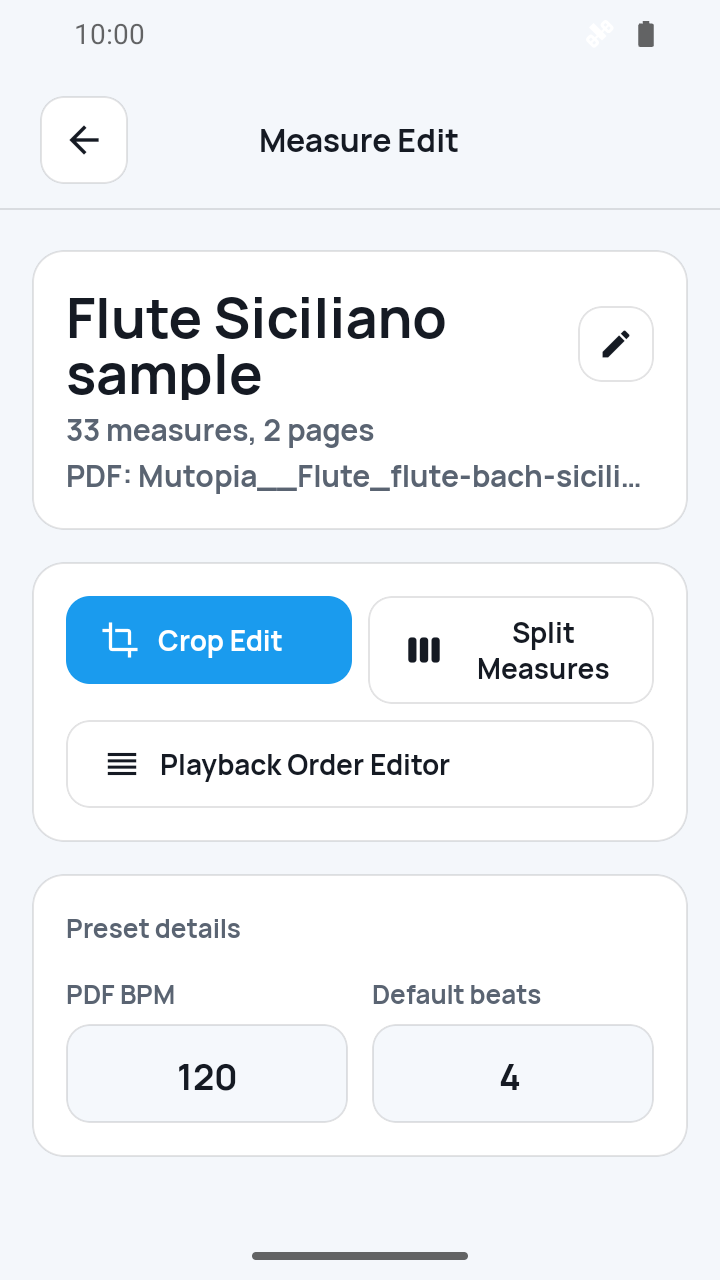
Open Measure Edit and check Score default playback settings for Default tempo (BPM) 120 and Beats per measure 4. The 1.6.2 screenshot shows the same values as PDF BPM and Default beats under Preset details. Its example, the bundled Flute Siciliano sample in 1.6.2, has no separately saved measure-level override, so its effective timing is 120 BPM and four beats. That bundled sample no longer appears in My Scores in 1.8.1, so reproduce the example with any score whose effective timing is 120 BPM and four beats. The selected timing fields can still display those effective values. At 1.0x, 4 × 60 ÷ 120 gives 2.0 seconds, the same duration Playback time per measure shows. A separately saved override takes priority over the corresponding preset default.
 Open full-size image
Use the arrows to reach 0.8x
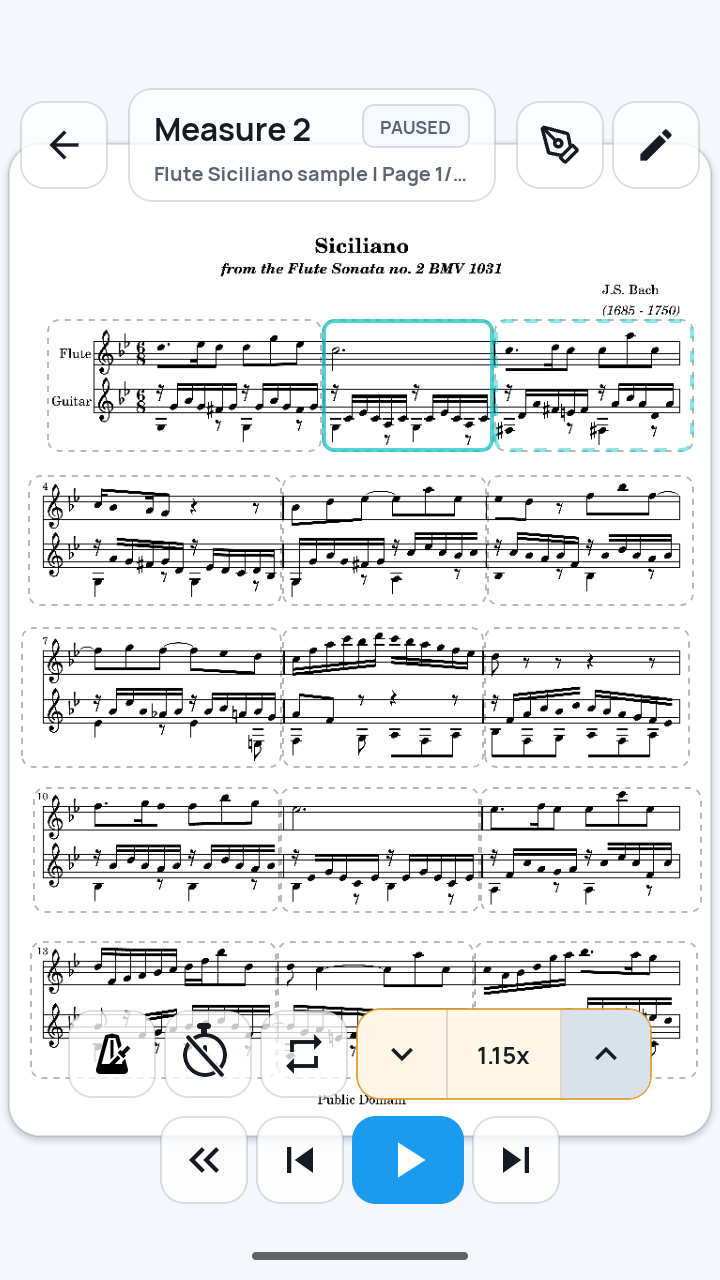
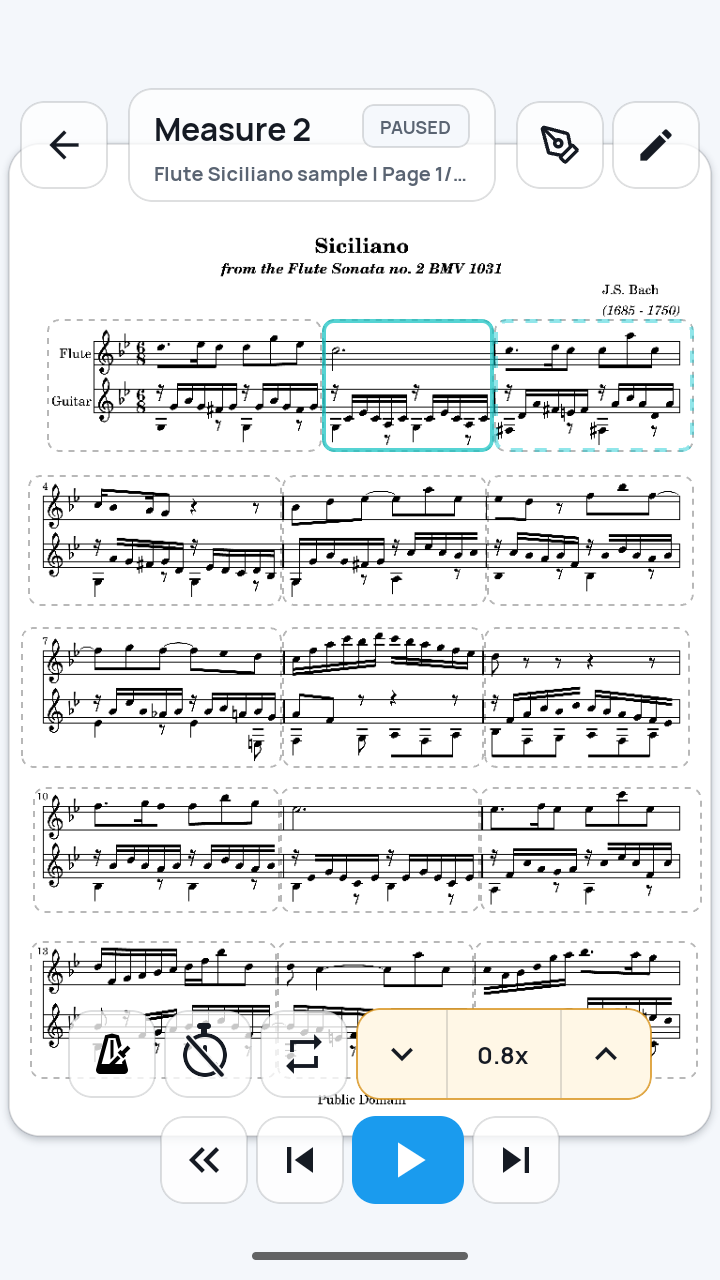
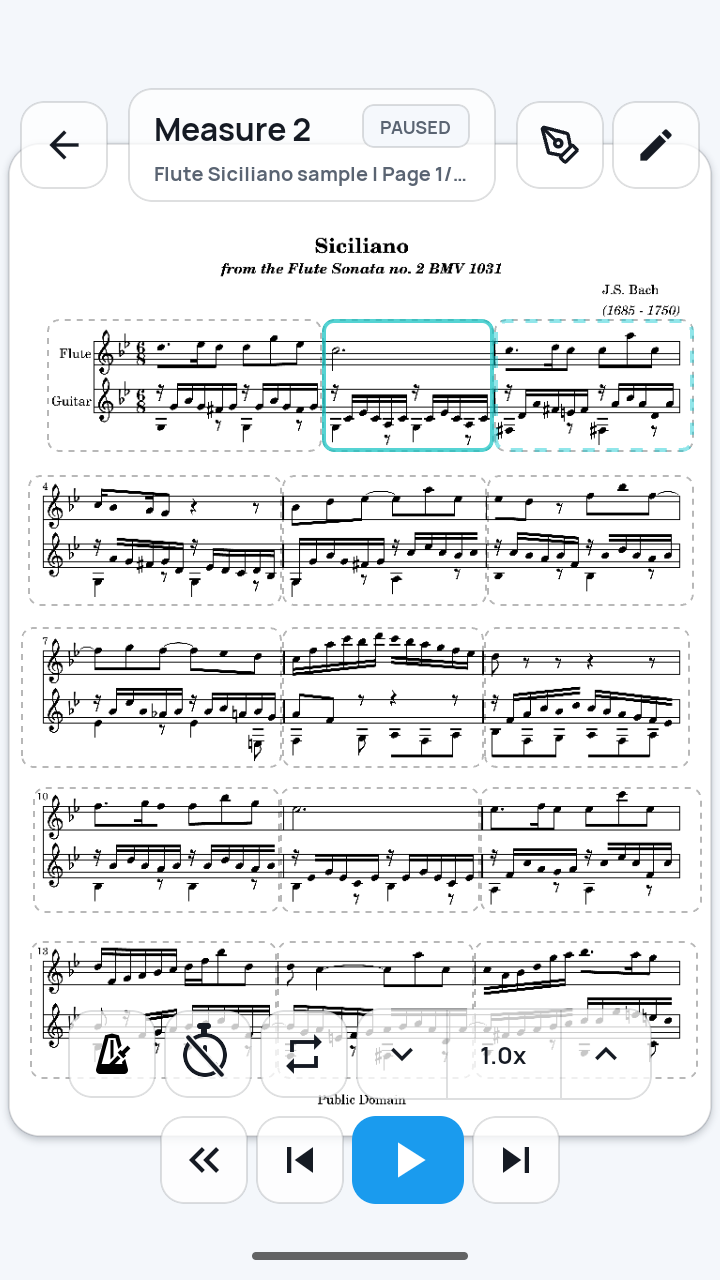
Pause practice in Measure view or Full page. The screenshot shows Full page. The down arrow lowers the speed by one available step, and the up arrow raises it by one. Tap the down arrow until the center value reads 0.8x. Tapping that center value resets the control to 1.0x. At 0.8x, SheetCue divides the 2.0-second baseline by 0.8, so the measure stays on screen for 2.5 seconds while its saved timing remains unchanged.
 Open full-size image
Resume with 0.8x still selected
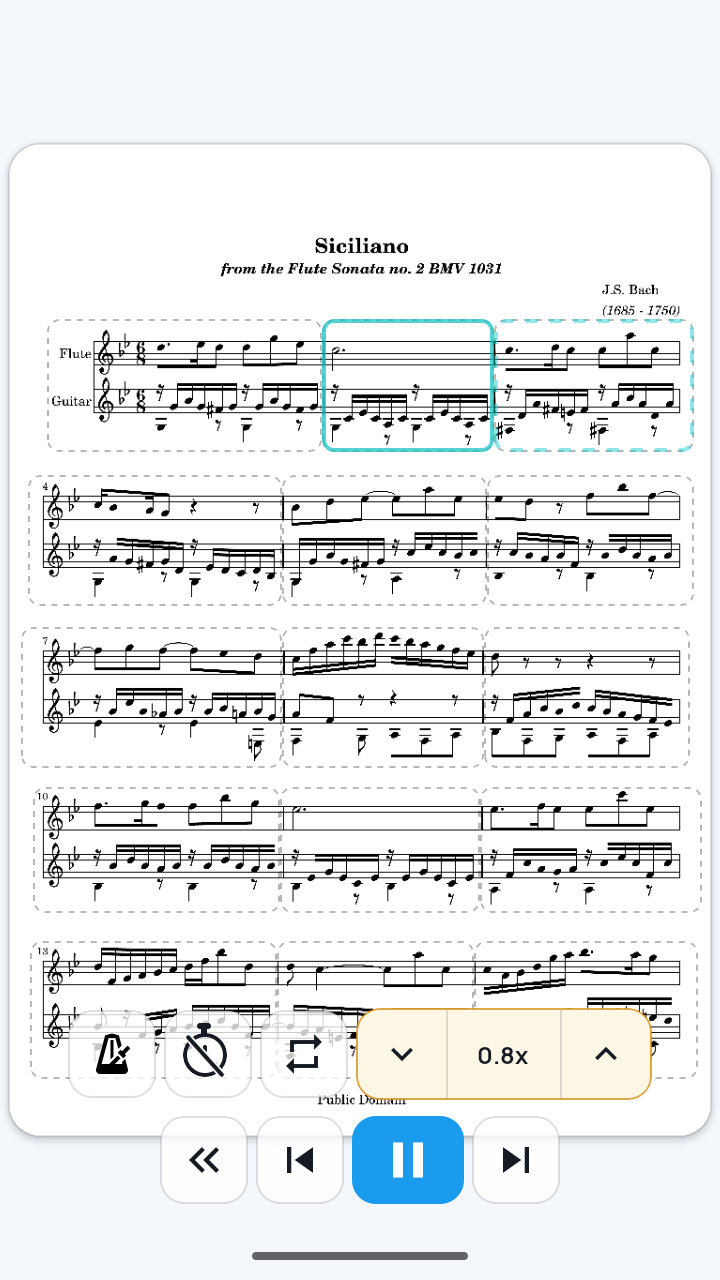
Resume practice. The screen shows active playback with the Pause button and the 0.8x selection still visible. Measure advance, the metronome, and count-in use the adjusted pace.
 Open full-size image
Reset the session speed to 1.0x
Pause again and tap the current 0.8x value in the center of the control. It returns directly to 1.0x, so this effective 120 BPM and four-beat example returns to 2.0 seconds per measure.
 Open full-size image
What to know
The same effective 120 BPM and four beats at two speeds
The 1.6.2 example score stores no separate measure-level override, so its effective BPM and beats match the preset defaults. The formula is seconds per measure = (effective beats × 60 ÷ effective BPM) ÷ speed. Because 0.8 is below 1, dividing by it increases the duration from 2.0 to 2.5 seconds. The saved values do not change.
| Speed setting | Effective BPM | Effective beats | Time on screen |
|---|---|---|---|
| 1.0x | 120 | 4 | 2.0 seconds |
| 0.8x | 120 | 4 | 2.5 seconds |
Change the setting that matches the problem
Correct Default tempo (BPM) or Beats per measure when the preset baseline is wrong. If the selected measure has Selected BPM or Selected beats, correct those fields instead because they take priority for that measure. Use the speed arrows only to change the current on-screen practice flow. SheetCue 1.8.1 steps through 0.3x, 0.5x, 0.8x, 0.9x, 0.95x, 1.0x, and 1.15x.
Current limits
- Playback speed controls on-screen measure progression. It does not play audio, stretch audio, or make the score produce sound.
- SheetCue does not listen to your instrument or follow your performance automatically.
- If the selected measure has a Selected BPM or Selected beats override, use that effective value in the formula. Changing speed does not correct or replace the override, the defaults, fermatas, rubato, or other expressive timing.
Related guides
Turn your score into a measure-by-measure practice flow.
SheetCue is free to download on iOS, iPadOS, and Android. Start with a 14-day SheetCue Plus free trial if eligible, as shown in the App Store or Google Play.