Score annotations
Annotate a PDF score in SheetCue while you practice
Score annotations arrived in SheetCue 1.3.0. The screens were captured in 1.6.2, and the steps were rechecked against 1.8.1. Pause playback first in either Full page or Measure view; only then does the pen-nib entry button appear. The editor shows the current score page in full, and the same marks remain visible in both practice views.
The short answer
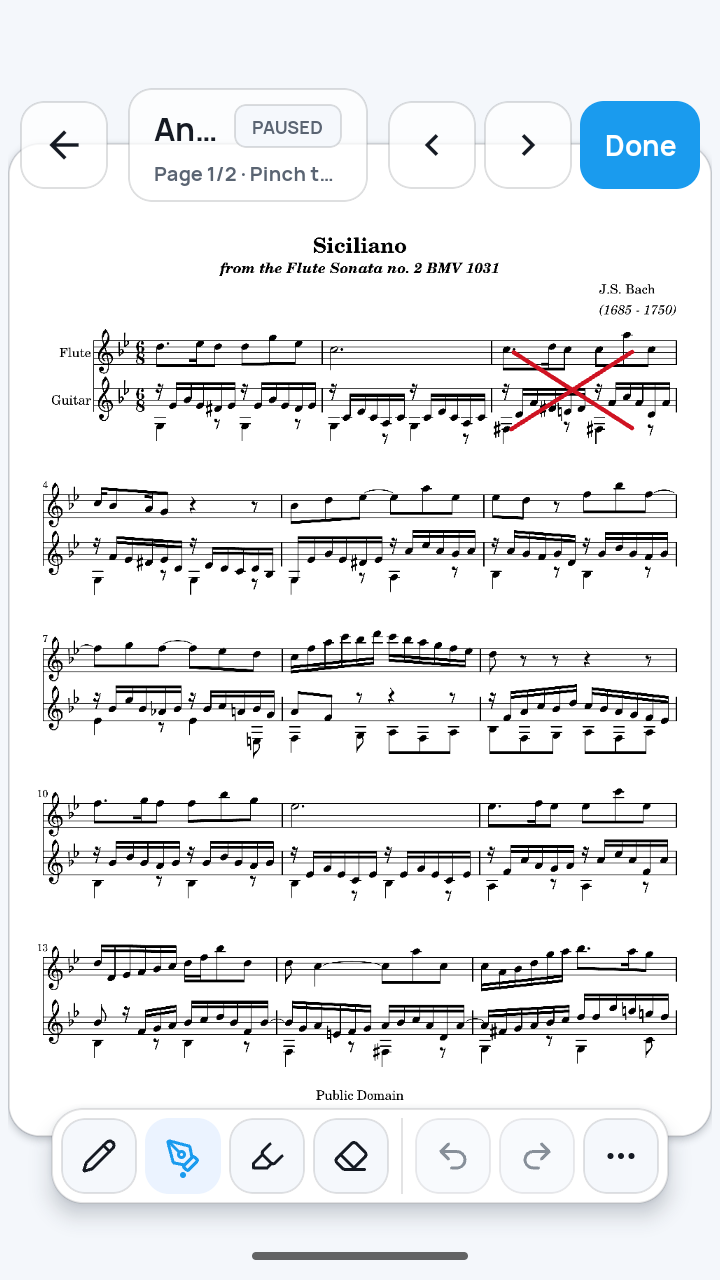
Open a prepared score in Full page or Measure view and pause playback. The pen-nib button labeled "Annotate this score page" then appears in the top-right header, immediately left of the Edit pencil. Tap it to open the current score page in Full page. Draw with Pencil, Pen, or Highlighter, then tap Done. If you started in Measure view, SheetCue returns to that paused Measure view. Marks save automatically with the on-device preset without changing the original PDF.
You need an imported score with measure and playback setup completed. If the score is not ready yet, follow the PDF setup guide first. Practice a PDF score measure by measure
 Open full-size image
How it works
Open annotations from a supported view
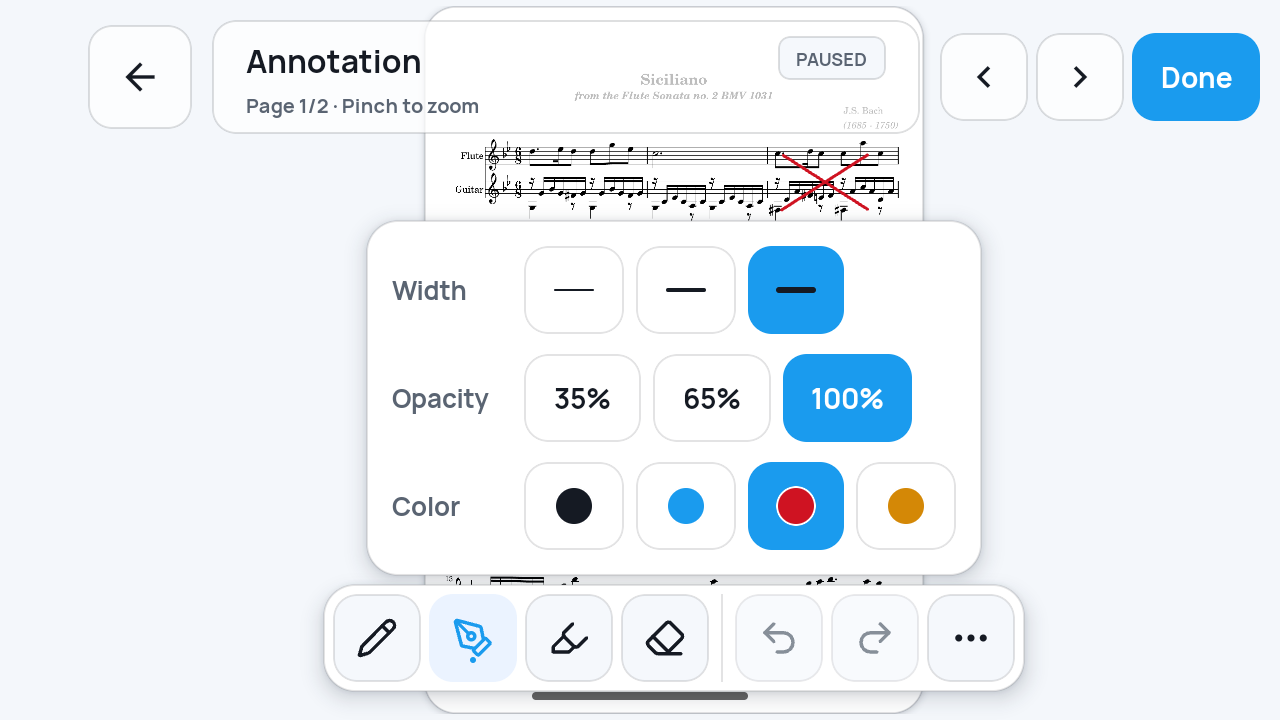
Open Full page or Measure view and pause playback first. The pen-nib button labeled "Annotate this score page" then appears at the right end of the header, immediately left of the separate Edit button with a pencil icon. From either view, it opens the current score page in the Full page annotation editor.
 Open full-size image
Choose a drawing tool and its settings
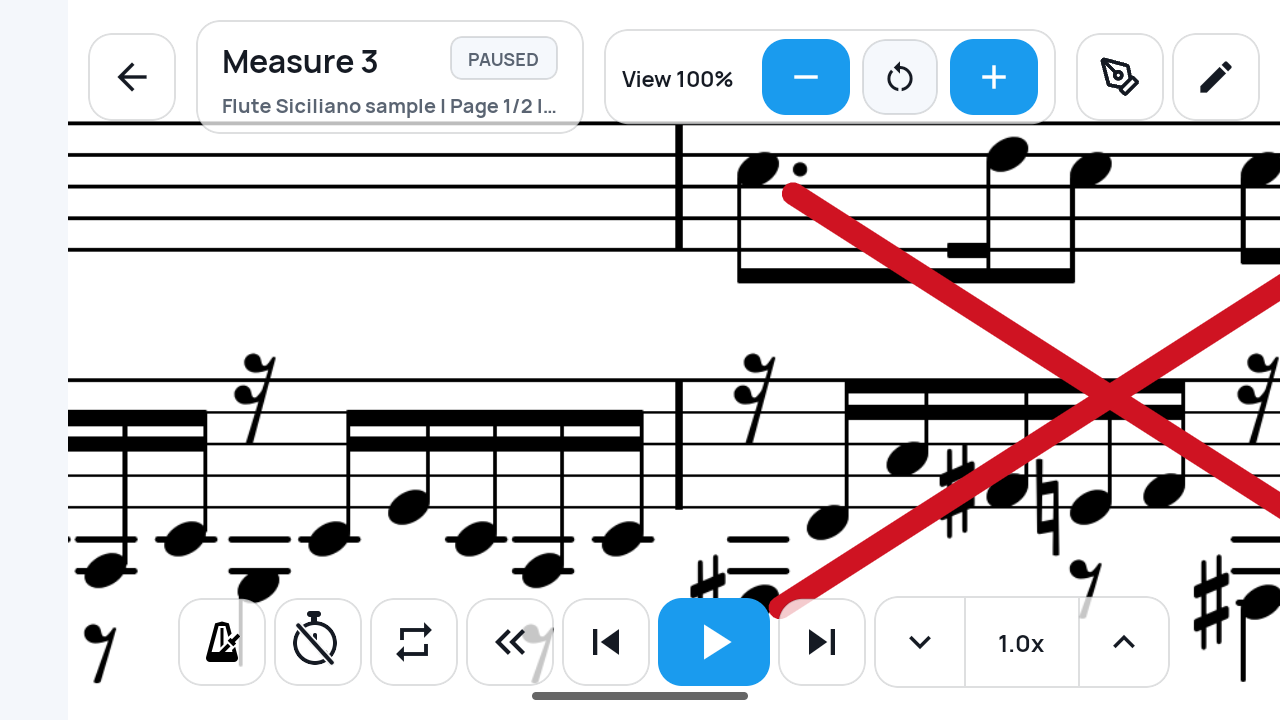
Tap Pencil, Pen, or Highlighter in the bottom toolbar. Its panel lets you set Width, Opacity, and Color. The screen shown here has Pen selected with a thick line, 100% opacity, and red ink.
 Open full-size image
Compare the same mark in both views
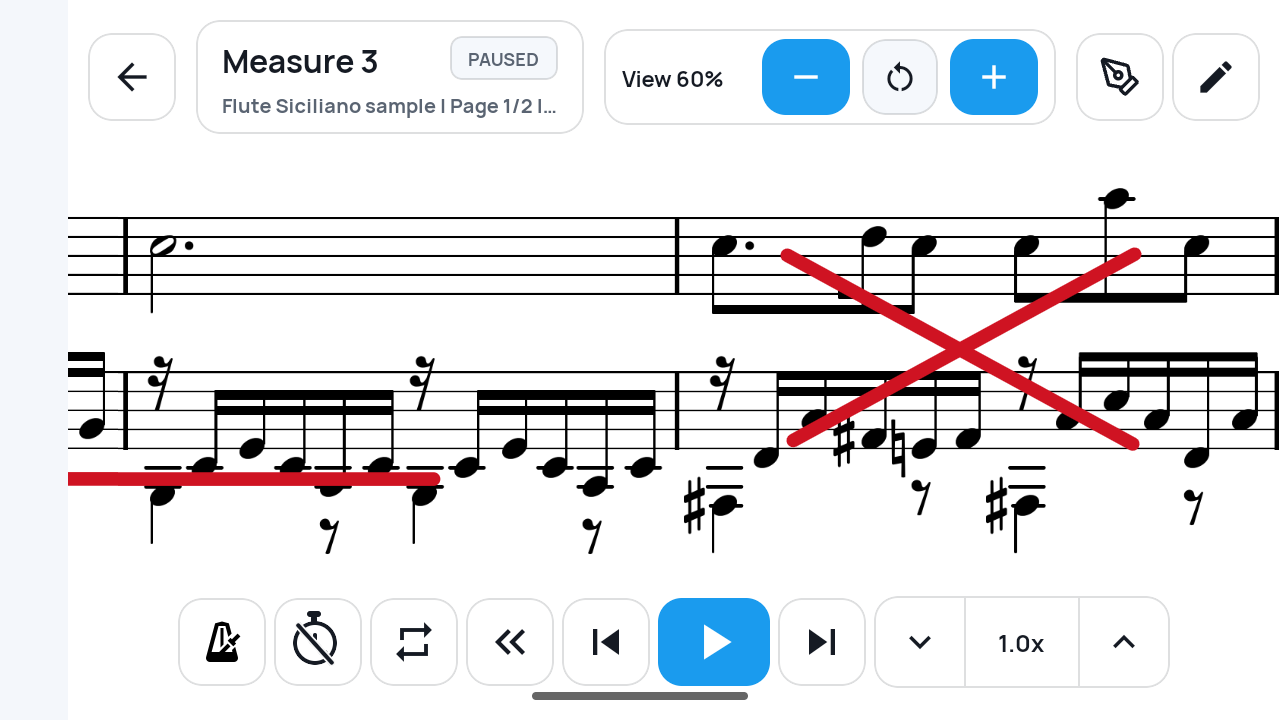
The Full page image above shows a thick red X on Measure 3 of Flute Siciliano sample. This Measure view image shows the same X projected into the cropped Measure 3 view.
 Open full-size image
Correct a stroke and finish
Use Undo and Redo for recent edits. To remove a mark directly, select the whole-stroke eraser in the bottom toolbar and tap the stroke. It removes the complete stroke, not one segment. Tap Done when you finish. If you opened the editor from a paused Measure view, Done returns you to that paused view.
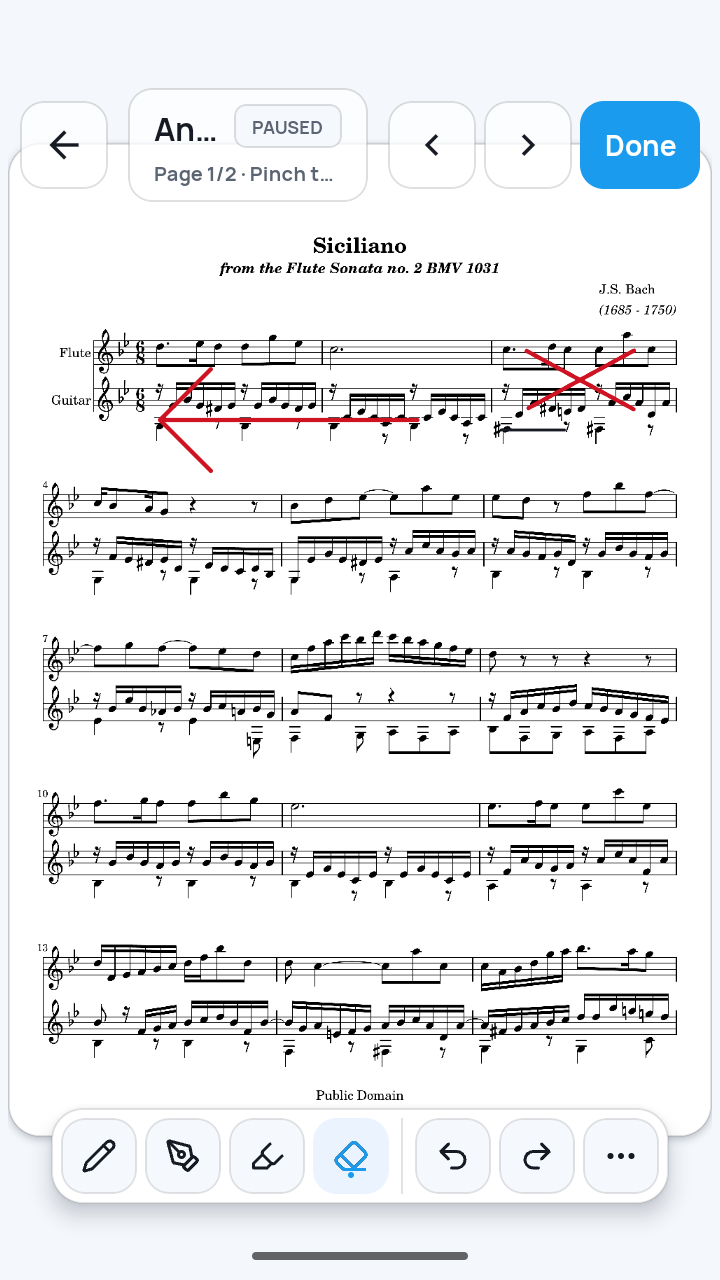 Open full-size image
What to know
Saving does not alter the original PDF
Each annotation edit updates the preset, which SheetCue saves automatically on the device. The PDF itself is not rewritten. Reopening the saved preset loads its annotation data again.
Export carries annotations with one preset
In My Scores, the score's ⋮ actions > Export preset creates a separate .sheetcue file for one user preset. The bundle contains its PDF, setup data, and annotations, and importing it restores that data. SheetCue has no account sync, automatic cross-device sync, full-library export, or cloud restore.
Current limits
- Playback must be paused in Full page or Measure view before the annotation entry button appears.
- The eraser removes a whole stroke rather than part of one.
- Automatic on-device saving is not a separate backup. Export each user preset you need to keep as a .sheetcue file.
Related guides
Turn your score into a measure-by-measure practice flow.
SheetCue is free to download on iOS, iPadOS, and Android. Start with a 14-day SheetCue Plus free trial if eligible, as shown in the App Store or Google Play.