PDF sheet music reader
Your score, reshaped for a smaller screen.
SheetCue opens the PDF or score photos you already have, then lets you prepare readable measure areas for practice. It is a phone-first alternative to shrinking a whole music page until the notes disappear.
From document to practice cue
One score. Four deliberate steps.
The original document stays recognizable throughout the setup. SheetCue changes how much of it you see while practicing—not the notes themselves.
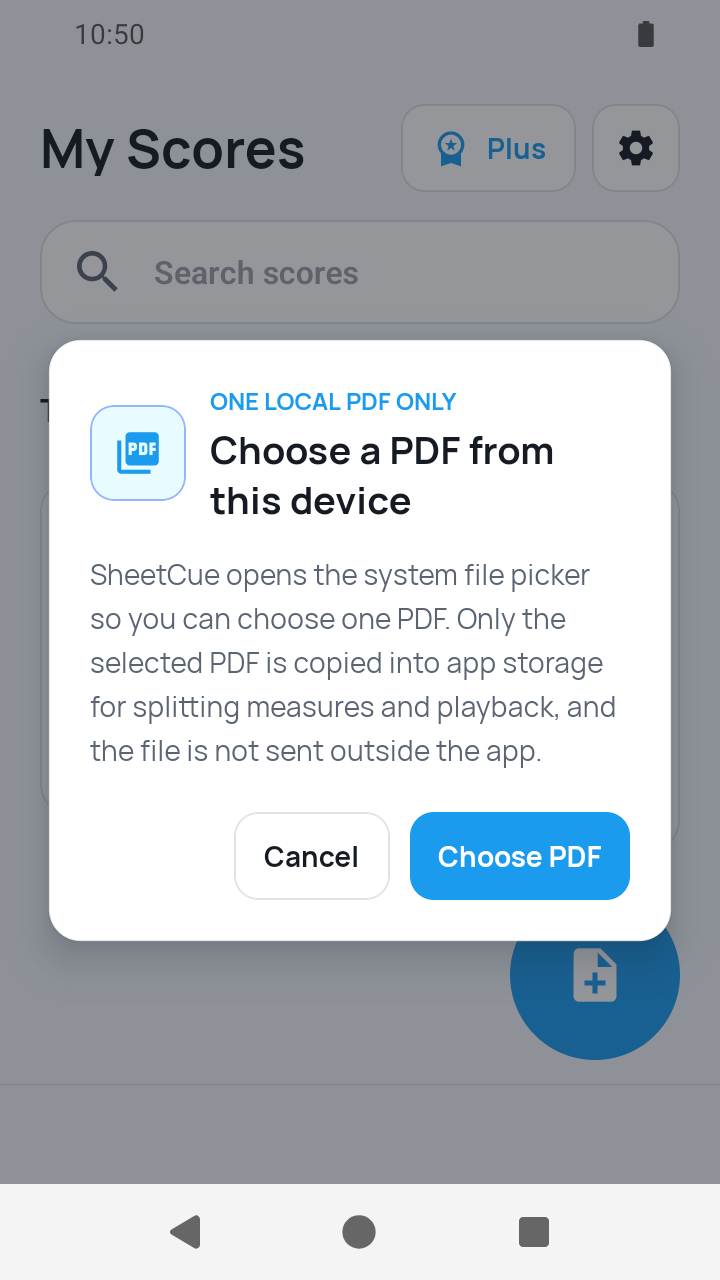
Open a score PDF
Choose a PDF from your device and allow access to that file. There is no account step and no need to repurchase the score inside SheetCue.
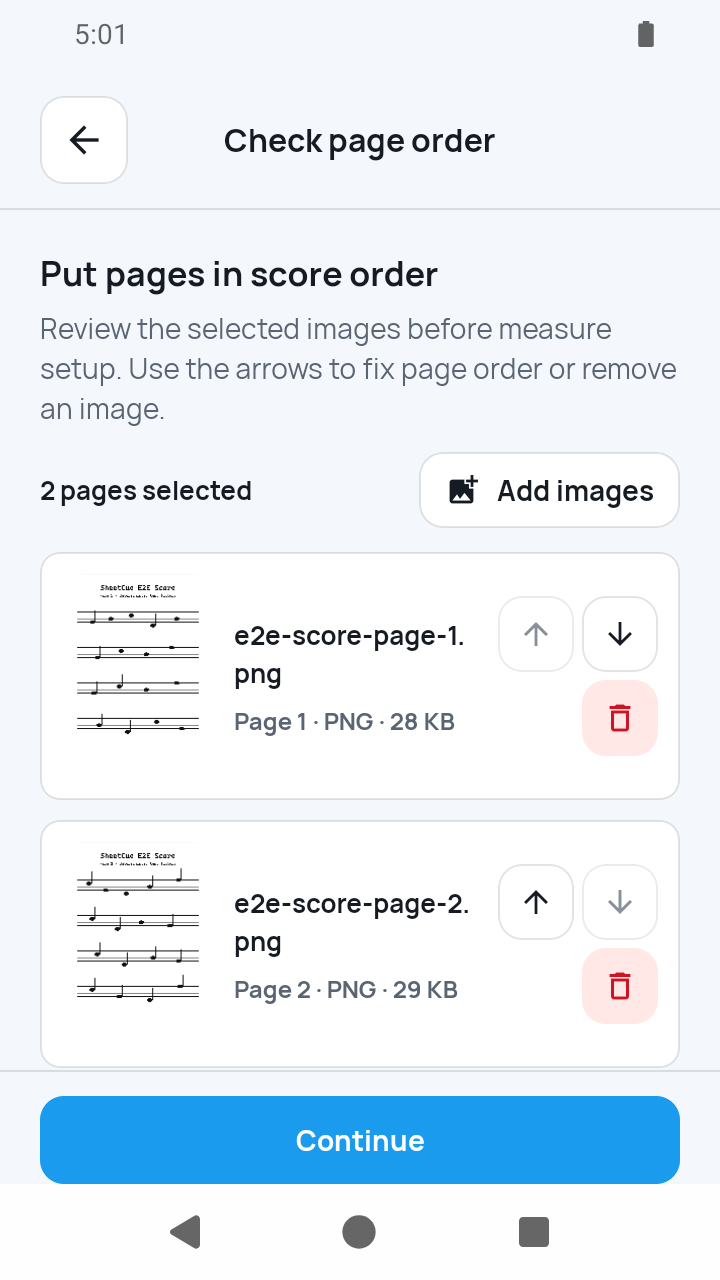
Or assemble score photos
Select JPG or PNG pages, review their order, and create a local PDF from them. This is useful for photos of a printed score; it does not convert the notation into editable notes.
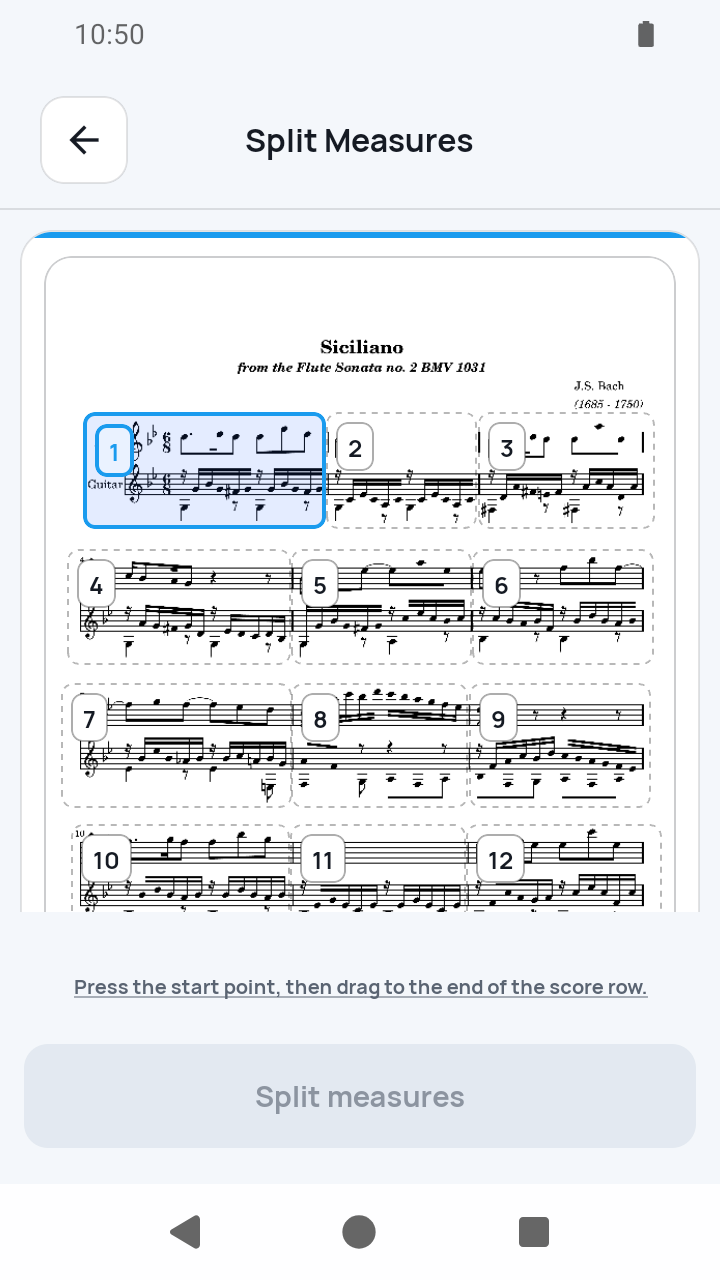
Define the readable measures
Draw, move, resize, split, or merge measure boxes as needed. The setup is intentionally reviewable: SheetCue does not claim OCR or automatic score recognition.
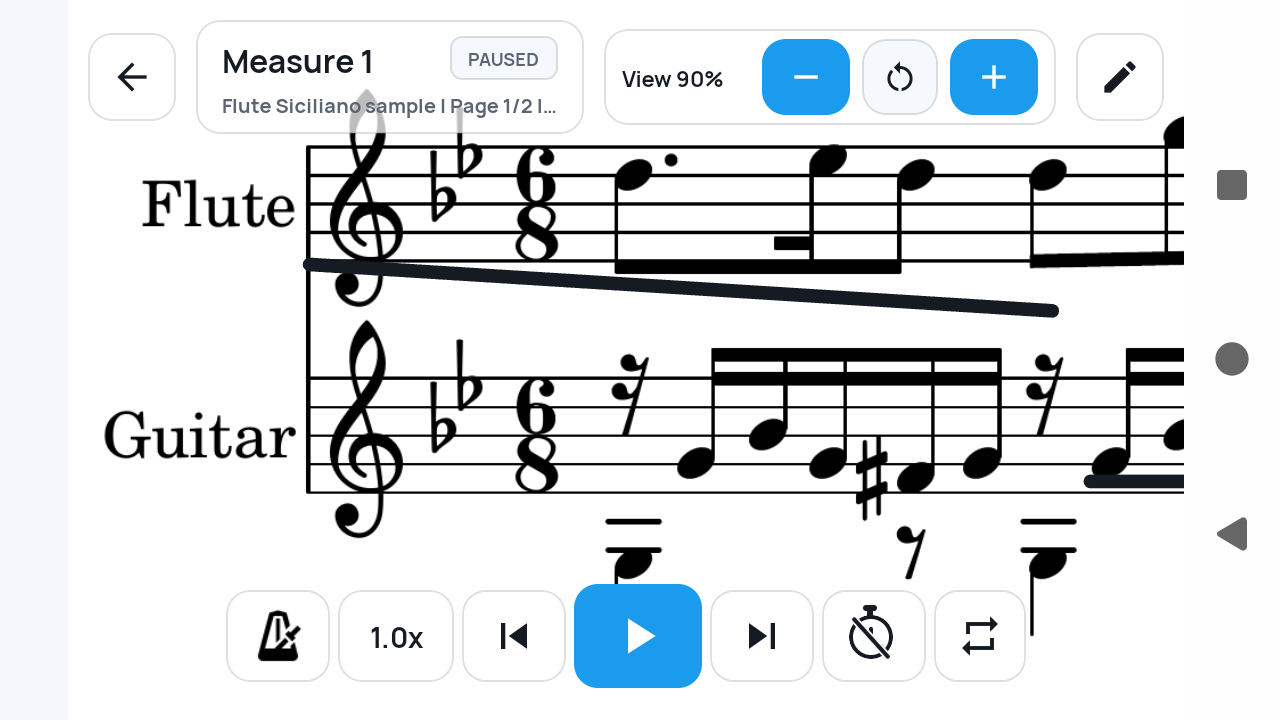
Read one cue at a time
Practice from a focused measure view instead of repeatedly pinching and panning a full PDF page. The prepared image remains your own notation, simply framed for the current moment.
A different kind of viewer
Not another miniature PDF page.
A conventional viewer preserves the page layout and asks you to zoom. SheetCue preserves the score image but lets your practice move through selected measure-sized regions.
Bring your files
Use a PDF or JPG/PNG score photos already stored on your device.
Frame the music yourself
Manual measure setup keeps ambiguous scans and unusual layouts under your control.
Read for practice
The measure view favors legibility and continuity on a phone rather than full-page browsing.
What SheetCue does—and does not—read
SheetCue is a visual practice reader, not a notation-analysis service. Clear boundaries make it easier to know whether it fits your workflow.
- Imports PDF files and JPG/PNG score photos
- Turns ordered photos into a PDF stored locally on the device
- Requires you to define and review measure areas
- Does not perform OCR or create MusicXML
- Does not listen to your playing or follow notes automatically
PDF sheet music reader questions
01Can SheetCue open my own PDF sheet music?
Yes. You can select a PDF already available through your device's file picker and prepare it for measure-by-measure practice.
02Can I use photos instead of a PDF?
Yes. Select JPG or PNG score images, check their page order, and SheetCue creates a PDF locally before measure setup.
03Does SheetCue recognize notes in a PDF?
No. It does not use OCR to turn notation into editable notes or MusicXML. The score remains an image.
04Are measures detected automatically?
No. You define and review the measure boxes yourself, with controls to move, resize, split, merge, add, or remove them.
05Does it follow my playing through the score?
No. SheetCue does not listen to audio or identify your live position. Practice advances through the order and timing you prepare.
06Is my score uploaded to a SheetCue server?
No. Imported scores, generated PDFs, measure images, and preset data are stored locally on your device.
Need the exact setup steps?
Follow the complete PDF-to-measure walkthrough, including layout choices and timing setup.
Make the PDF you own readable where you practice.
Import the score once, prepare its measures, and keep the next cue within view.