Import troubleshooting
Fix PDF import and three-step setup problems
Troubleshoot the actual four checkpoints: access and rendering, 1/3 Split Measures, 2/3 Order Setup, and 3/3 Playback Setup.
The short answer
If selection never opens, confirm the SheetCue access notice and retry the system picker. If rendering fails, choose another valid PDF through the picker. On 1/3, apply at least one playable measure. On 2/3, review the numbered route. On 3/3, enter a non-empty title, 30–260 for Default tempo (BPM), and 1–64 for Beats per measure. Crop Edit is a later tool and is not part of import setup.
 Open full-size image
How it works
Check access, selection, and rendering
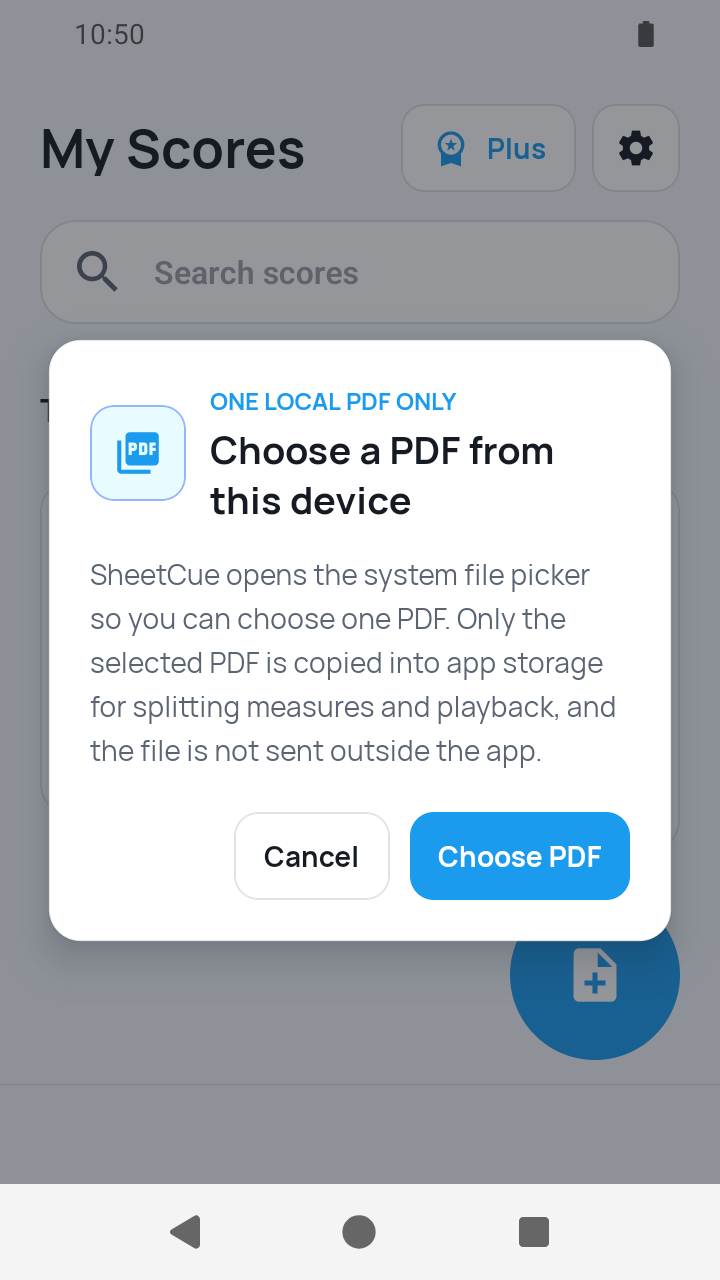
PDF import starts from Add score > PDF file, then shows the Import a PDF notice and the system file picker. A copy/open error is different from a page-rendering error. Retry the picker, then test another valid PDF available there.
 Open full-size image
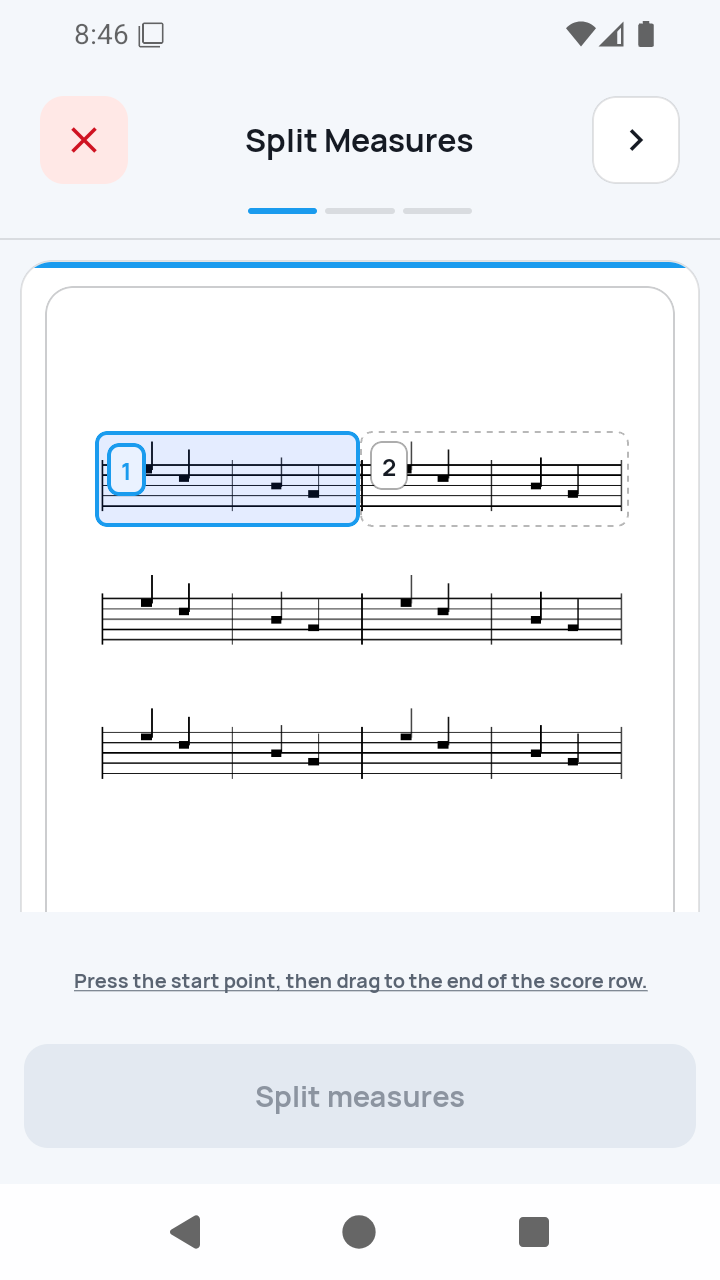
1/3 — Apply one playable measure
On Split Measures, draw a staff row, add or adjust its vertical boundaries, and apply it. The Next button requires at least one playable measure; the manual path does not pre-fill finished measures.
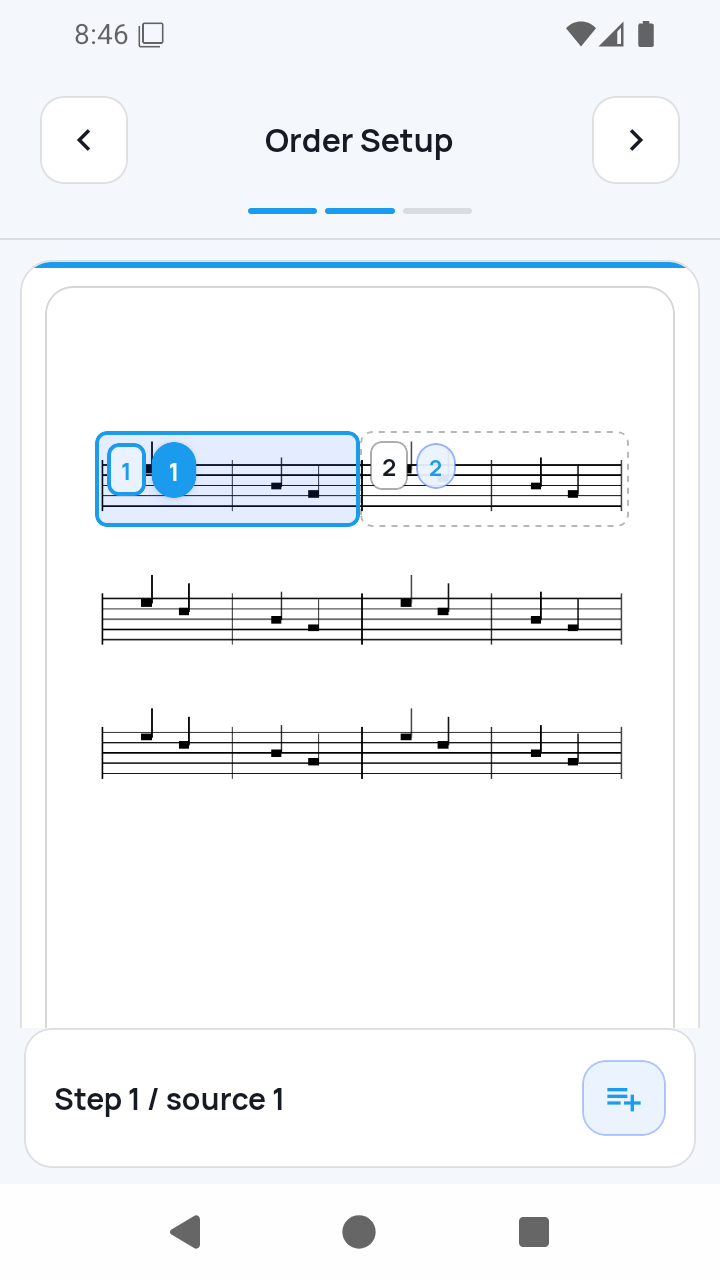
2/3 — Check the numbered route
Order Setup starts from the route created by the saved measures. If you need a repeat or return, select a step, use the numbered Insert after button, choose source measures, and confirm. There is no separate whole-route Save button.
 Open full-size image
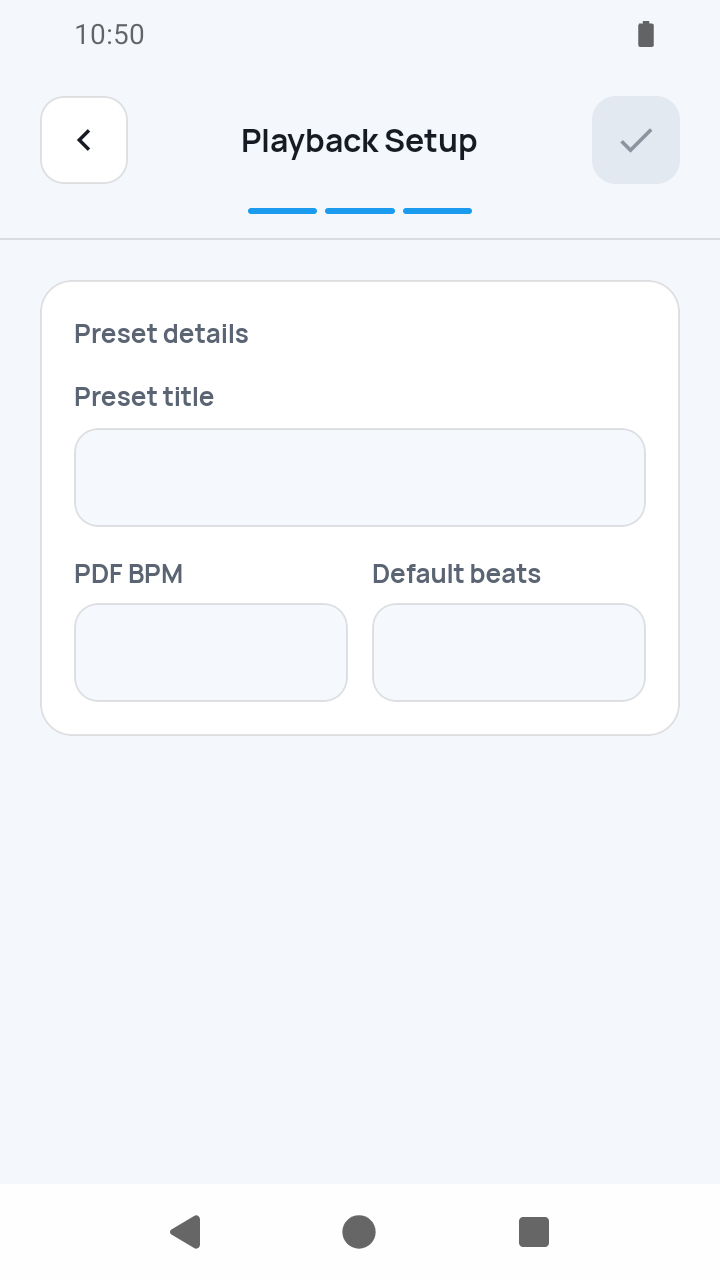
3/3 — Satisfy the Complete conditions
Enter a non-empty Preset title, Default tempo (BPM) from 30–260, and Beats per measure from 1–64. Complete stays disabled until those values and a playable measure are valid. Cancelling before any measure is applied deletes the empty draft; after a measure is applied, the preset remains in My Scores with Playback setup needed.
 Open full-size image
What to know
Images add one screen before the same three steps
For image import, choose one to 20 JPEG or PNG files and fix their page order first. SheetCue then creates a local PDF and opens the same Split Measures → Order Setup → Playback Setup sequence.
Crop Edit is not a fourth import step
After a completed import, Measure Edit opens a hub and Crop Edit adjusts an individual saved box. Split Measures is the separate route for redrawing a whole staff row.
Current limits
- Cancelling before any measure is applied deletes the empty draft; after a measure is applied, the preset remains with Playback setup needed until setup is completed.
- SheetCue does not repair damaged PDFs or perform notation OCR.
- Measure splitting, page order, repeat signs, and musical structure are not inferred automatically.
Related guides
Turn your score into a measure-by-measure practice flow.
SheetCue is free to download on iOS, iPadOS, and Android. Start with a 14-day SheetCue Plus free trial if eligible, as shown in the App Store or Google Play.