Beginner phone practice
Practice your own sheet-music photos on a phone—without a pedal
If your teacher gave you a lawful photo or you photographed music you may digitize, start with one page. SheetCue turns ordered images into a local PDF, then you choose the measure boxes, timing, repeats, and practice order yourself.
The short answer
Tap Add score, choose Photos & images, order up to 20 JPEG or PNG pages, and create the local PDF. For a first session, set up only 4–8 measures: draw and check the boxes, set timing and any repeat order, then press Start. SheetCue advances the visual practice view on your saved timing; it does not listen to your playing, read notes with OCR, or play the music for you.
 Open full-size image
How it works
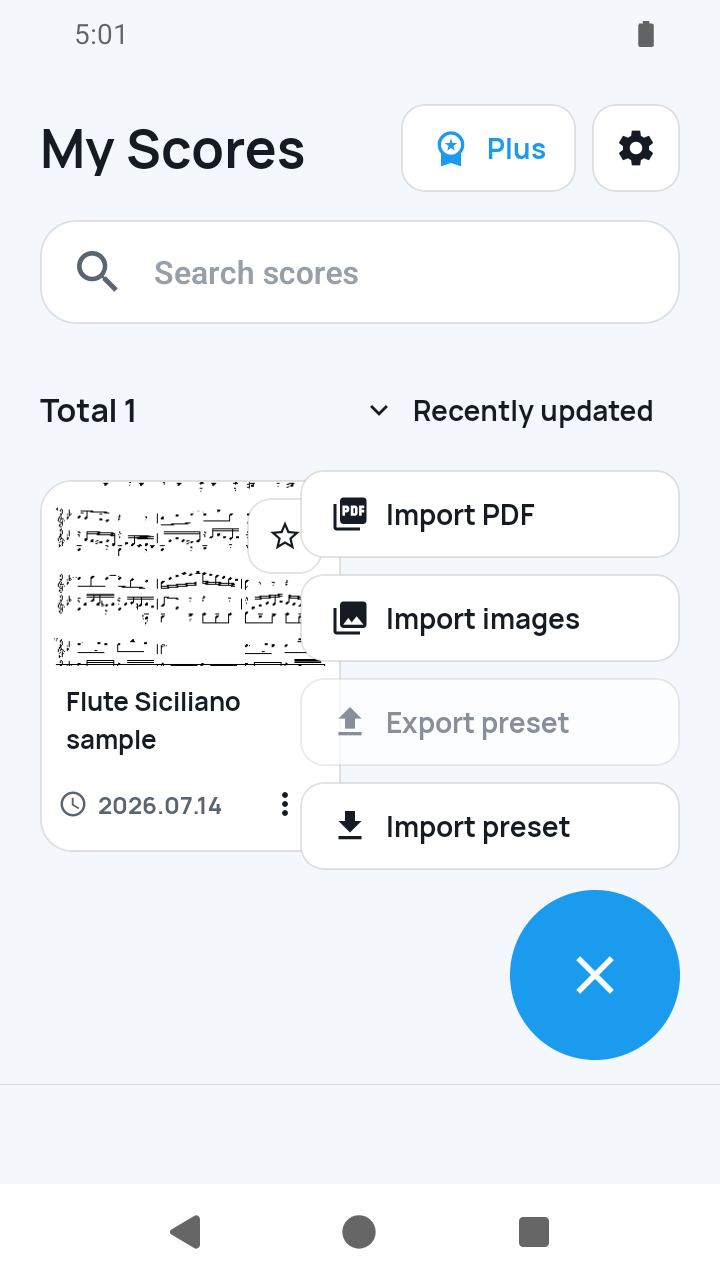
Choose Add score > Photos & images
In My Scores, tap Add score and choose Photos & images.
 Open full-size image
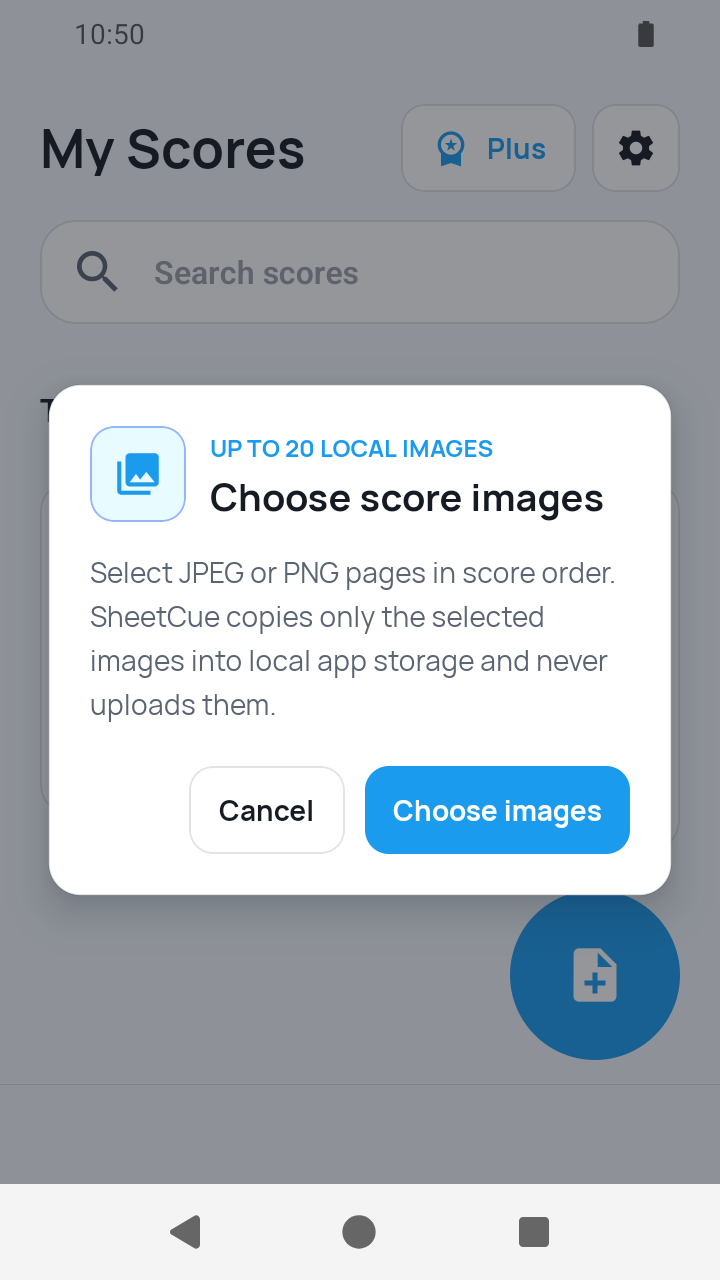
Choose images in the system picker
SheetCue opens the system image picker; select JPEG or PNG pages there.
 Open full-size image
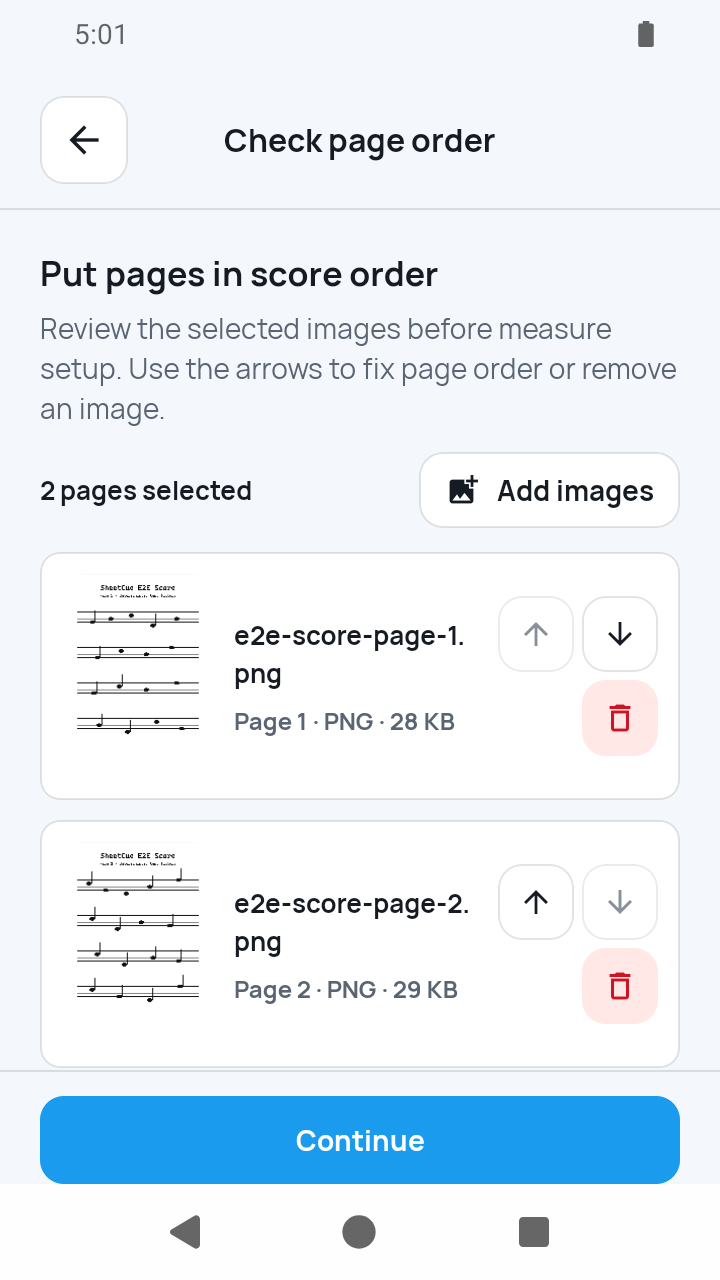
Check the page order before conversion
Use the review screen to add missing pages, remove mistakes, and move a page earlier or later. One import can contain at most 20 pages.
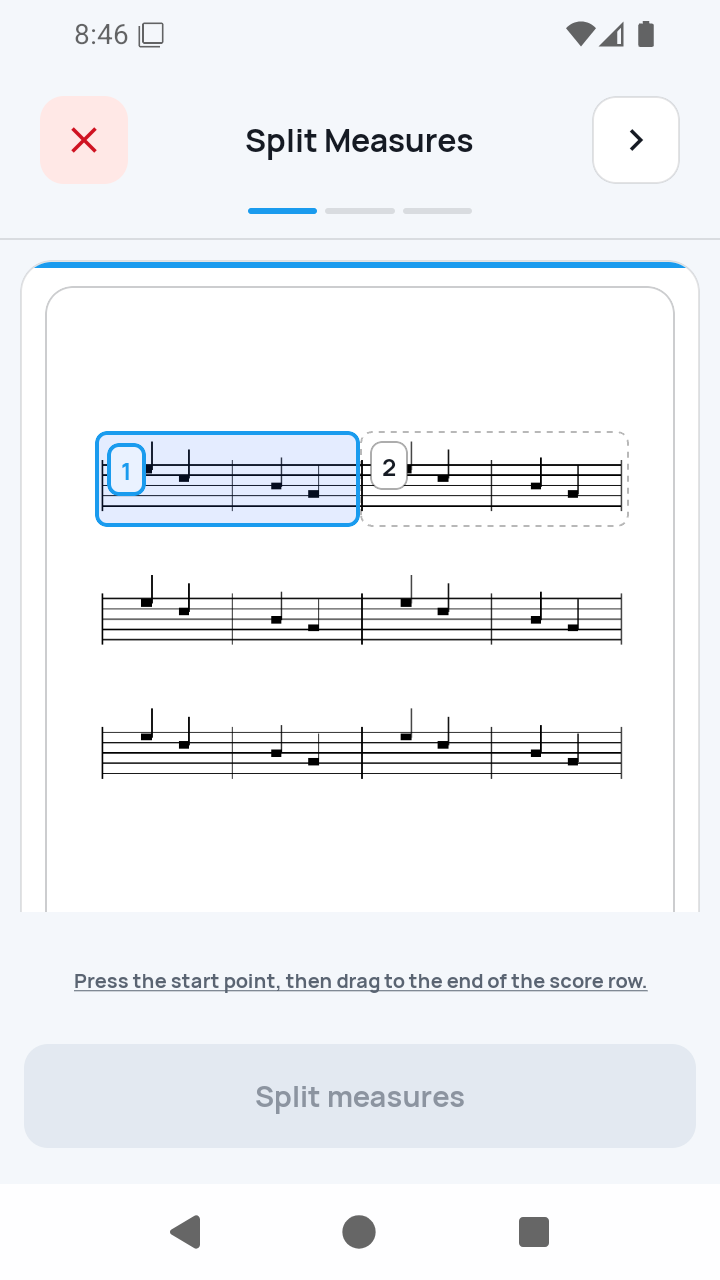
Create the PDF, then complete 1/3
Tap Continue. SheetCue uses the temporary image copies to create the PDF kept in its score library, then opens Split Measures. Draw a staff row, add or move its boundaries, and apply at least one playable measure.
 Open full-size image
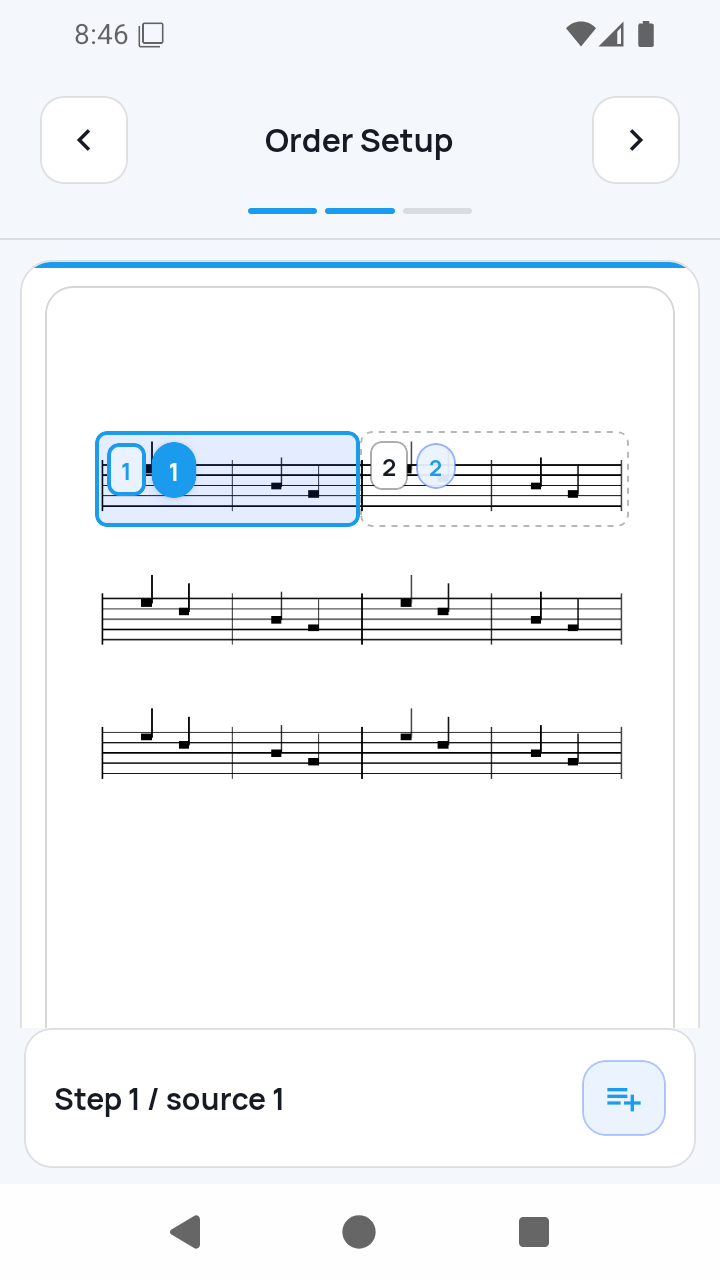
2/3 — Order Setup
Review the numbered route. For a return or repeat, select an existing step, tap its numbered Insert after button, choose the source measures, and confirm. The same source measure can appear at most four times.
 Open full-size image
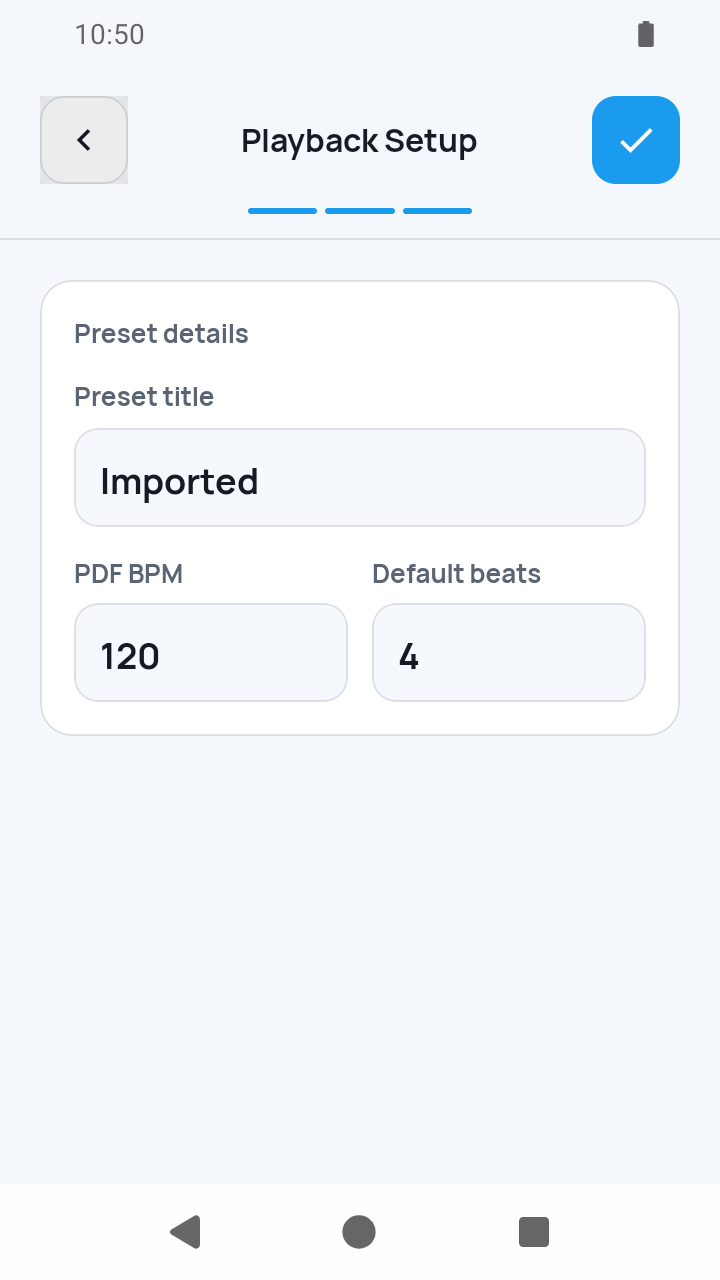
3/3 — Playback Setup
Enter the Preset title, Default tempo (BPM), and Beats per measure. Complete remains disabled until the title, timing values, and a playable measure are valid.
 Open full-size image
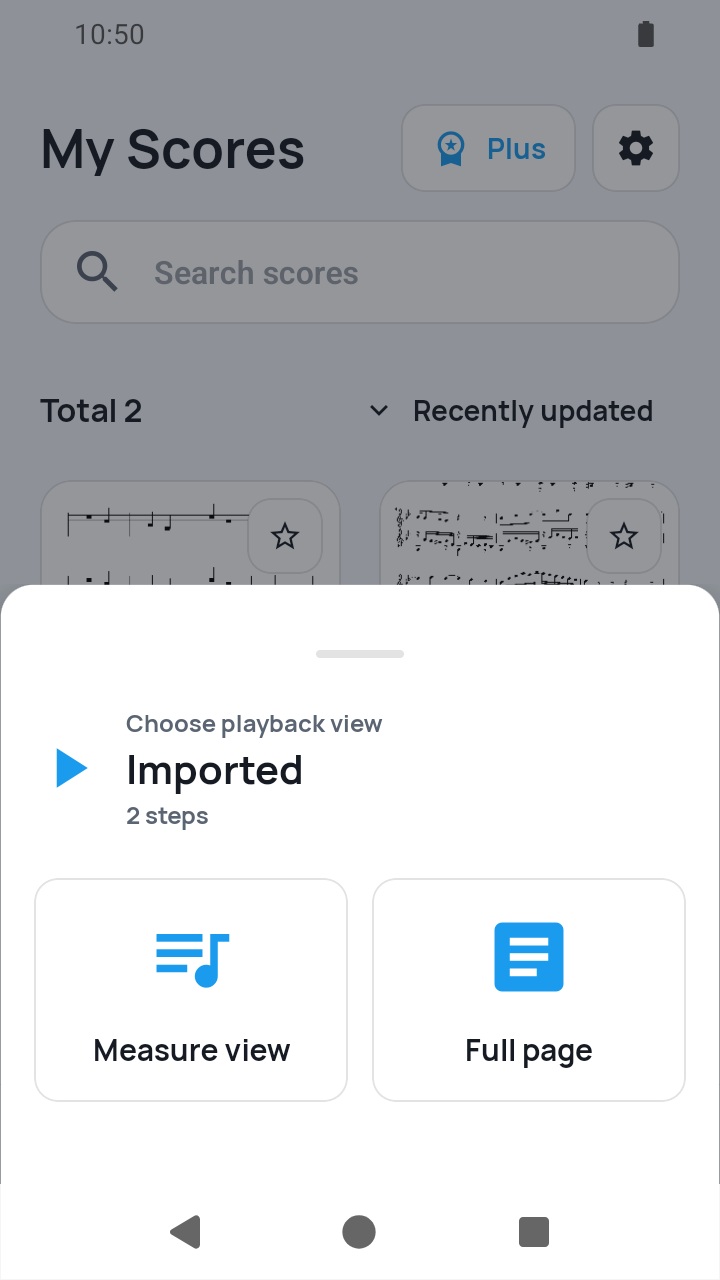
Complete setup and open the score
Tap Complete on step 3. Backup guidance can appear before My Scores. Keep the original images elsewhere if you want an independent archive, then tap the new score and choose a practice view.
 Open full-size image
What to know
Page order comes before the three setup steps
The image review screen controls PDF page order only. It does not replace measure splitting, playback order, or timing setup.
The generated PDF is the durable score asset
Selected images are staged in temporary app cache. The ordered PDF is kept in the score library; the original image set is not an independent in-app archive.
Current limits
- Use only scores you created, public-domain editions where you live, or material you are licensed or authorized to digitize; buying a paper copy does not automatically grant scan rights.
- Each image import is limited to 20 JPEG or PNG pages, and page order is not inferred.
- Blur, perspective distortion, shadows, or low resolution can make manual splitting harder.
Related guides
Turn your score into a measure-by-measure practice flow.
SheetCue is free to download on iOS, iPadOS, and Android. Start with a 14-day SheetCue Plus free trial if eligible, as shown in the App Store or Google Play.