Measure box editing
Correct measure boxes before you practice
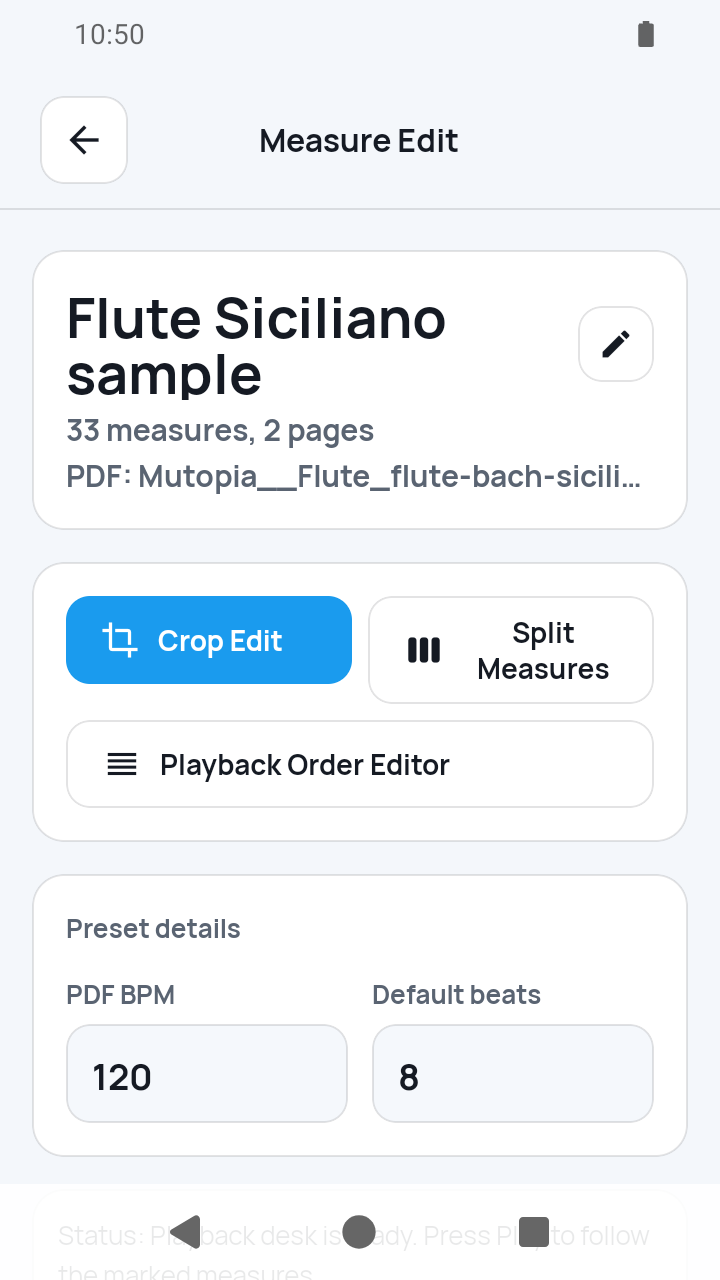
Measure Edit is the hub for two different jobs: Crop Edit changes existing boxes, while Split Measures redraws a whole staff row.
The short answer
Open the score actions, tap Edit, and choose the tool in Measure Edit. In Crop Edit, select a numbered box to move, expand, or shrink it in 1–5% steps. Horizontal or vertical split cuts the box exactly through its center; merge requires a geometrically adjacent box on the same page, and the final remaining measure cannot be deleted. Return to the hub and choose Split Measures when you need to draw and divide a whole staff row instead.
 Open full-size image
How it works
Choose the correct branch in Measure Edit
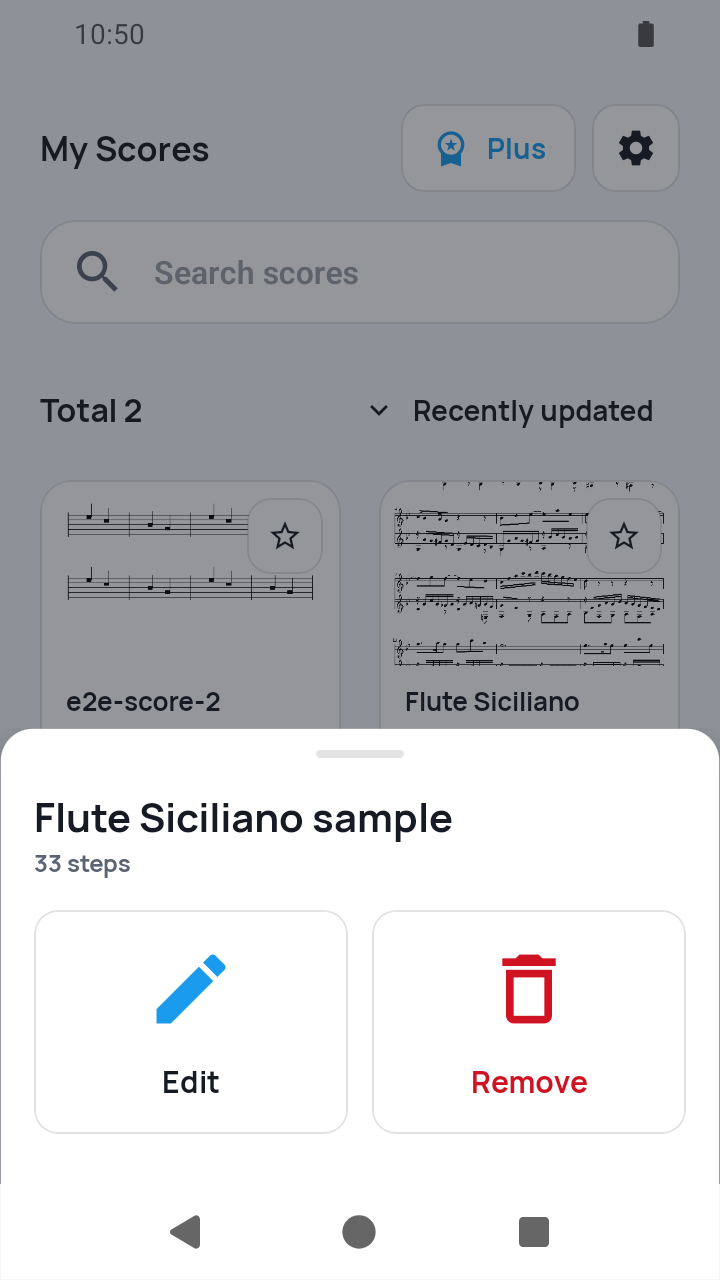
From the score's actions, tap Edit. Choose Crop Edit to change saved boxes. Choose Split Measures separately when a complete staff row needs to be drawn again.
 Open full-size image
Adjust an existing box in Crop Edit
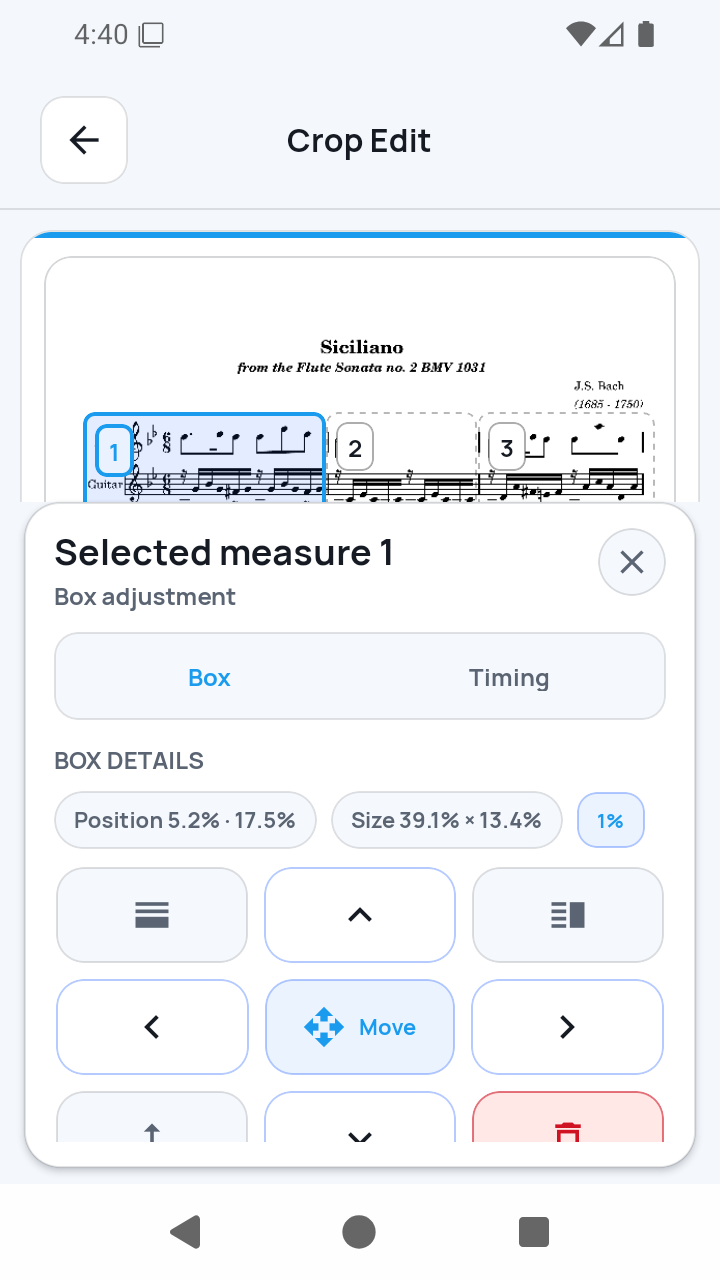
Tap a numbered measure, open its Box controls, then choose Move, Expand, or Shrink. Select a 1–5% step and use the arrows while checking the resulting practice crop.
 Open full-size image
Use structural box actions carefully
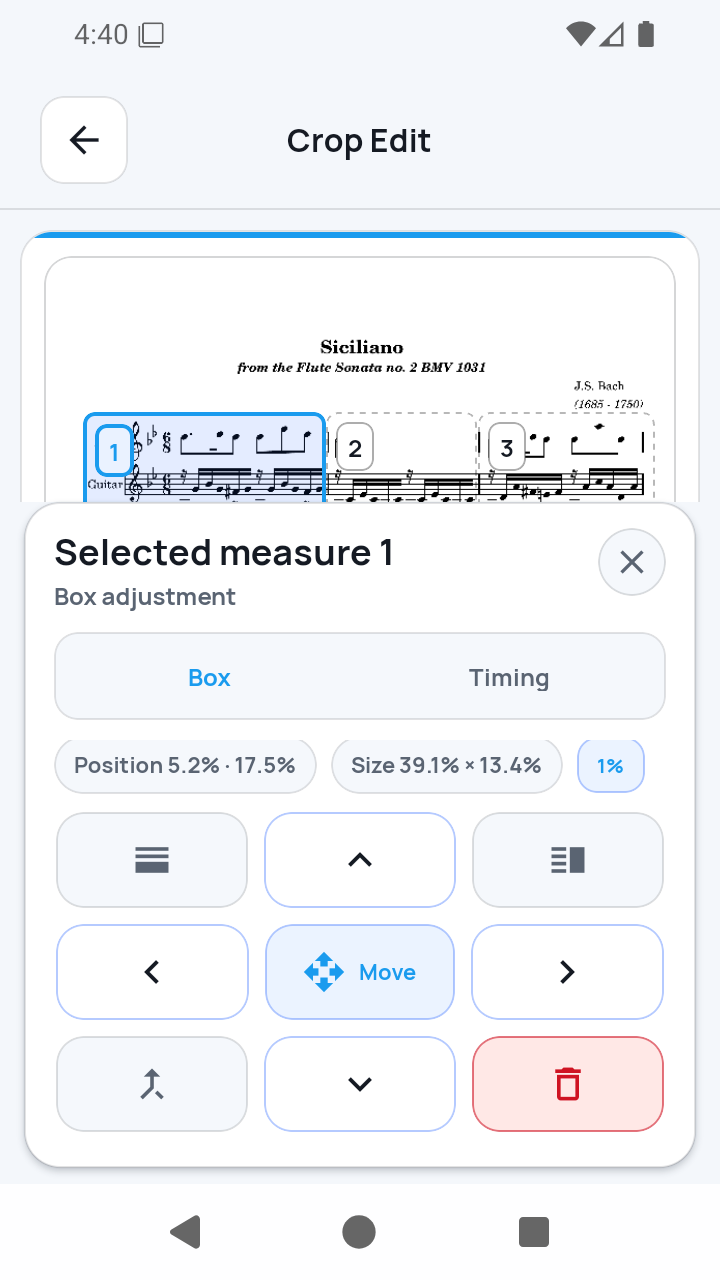
A horizontal or vertical split always bisects the selected box. Merge it only with a geometrically adjacent measure on the same page. Delete is available unless this is the only measure left.
 Open full-size image
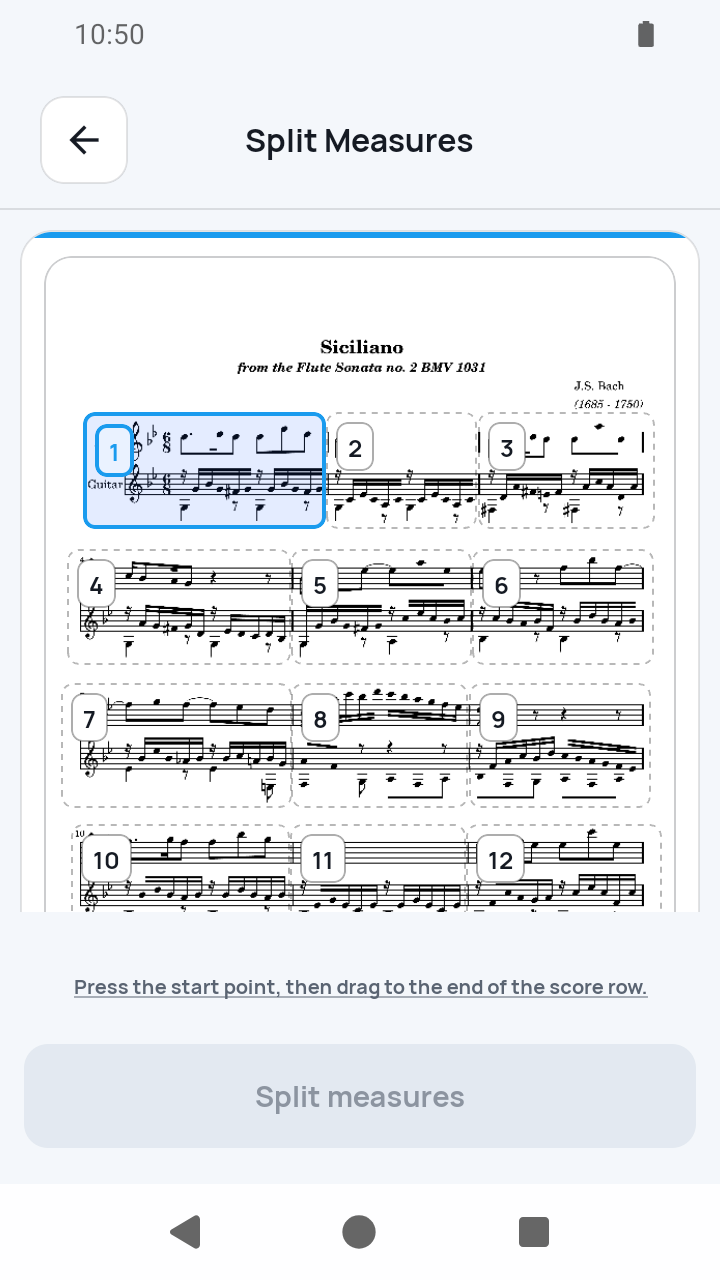
Redraw a row in Split Measures
Return to Measure Edit and open Split Measures. Draw the staff-row rectangle, add or adjust its cut lines, then apply it. Recheck measure numbers, timing, and playback order after any structural change.
 Open full-size image
What to know
Crop Edit and Split Measures are separate
Crop Edit works on an existing numbered box. Split Measures starts from a drawn staff row and creates the boxes divided by its cut lines.
Structural changes also change the route
A split replaces every affected route step with the two new measures, a merge remaps affected steps, and deletion sanitizes the route. Inspect the result before practice.
Current limits
- Split is a center cut, not a freely positioned split line; use Split Measures to redraw custom row boundaries.
- Merge works only with geometrically adjacent measures on the same page, and the last remaining measure cannot be deleted.
- Box editing does not understand musical semantics or OCR the notation.
Related guides
Turn your score into a measure-by-measure practice flow.
SheetCue is free to download on iOS, iPadOS, and Android. Start with a 14-day SheetCue Plus free trial if eligible, as shown in the App Store or Google Play.